
How to get on the internet
More in Indicators & C2
- This is Siemens...
Recently, our colleagues from the Positive Industrial Expertise Center discovered a curious Windows sample on MalwareBazaar.…
- Operation Chewbacca
At the end of June, the PT ESC team, during incident investigations, discovered a new group…
- Your Zimbra server is at risk
Recently, our PT ESC IR team encountered a new attack by ransomware groups on Zimbra mail…
- He's not your gsocket
He's not gsocket to you 😑 During the investigation of one of the incidents, PT ESC…
- Hunting RATs by their own certificates 🕵️
Our colleagues at Censys published a breakdown of the AsyncRAT family, describing an entire genealogical tree:…




How to get to the internet 🚶♂️
What do hackers do when the network segment they’re interested in has no internet access, but they really want to connect to C2? That’s right: they look for hosts that face different subnets and try to tunnel control channels through them. If the attacked infrastructure is heavily segmented, such a channel may pass through many nodes and take on bizarre forms.
In one recent case, the hackers used two methods for tunneling the channel; let’s call them “simple” and “complex.”
🤯 Let’s start with the “complex” one
The attackers discovered a host through which access from one subnet to another was possible. But there was a nuance: the only way to reach this host was via RDP (remote desktop).
The hackers found a solution. They attached a kind of traffic splitter to the listening port 3389: genuine RDP traffic was redirected to port 33389, while all other traffic on port 3389 was proxied further into the neighboring subnet. Whether a packet belonged to RDP was determined by the first three bytes — they had to equal 03 00 00.
The hackers moved the real RDP service from the standard port 3389 to port 33389. This way, the attackers gained the ability to pass traffic between segments, while users connecting via RDP saw no difference.
The presence of such a utility on a host is revealed (besides, of course, the presence of the executable file on the file system) by the following signs:
1️⃣ The RDP port has been changed to a non-standard one (you can check the port in the system properties or with the command Get-ItemProperty -Path 'HKLM:\SYSTEM\CurrentControlSet\Control\Terminal Server\WinStations\RDP-Tcp' -name "PortNumber").
2️⃣ Some “rogue” process is listening on port 3389.
3️⃣ User connections via RDP in such a scheme appear as originating from localhost. In practice, we only saw the IP address 127.0.0.1, but don’t forget that there’s actually an entire subnet of such addresses, and there are also variants like ::1 or even ::%16777216.
But keep in mind that the RDP port could have been changed by an admin, and connections from localhost may also indicate other things, such as the presence of tunnels 🙂
💆♂️ So what was the “simple” method?
In this variant, the attackers used a Windows feature called Port Proxy to proxy traffic.
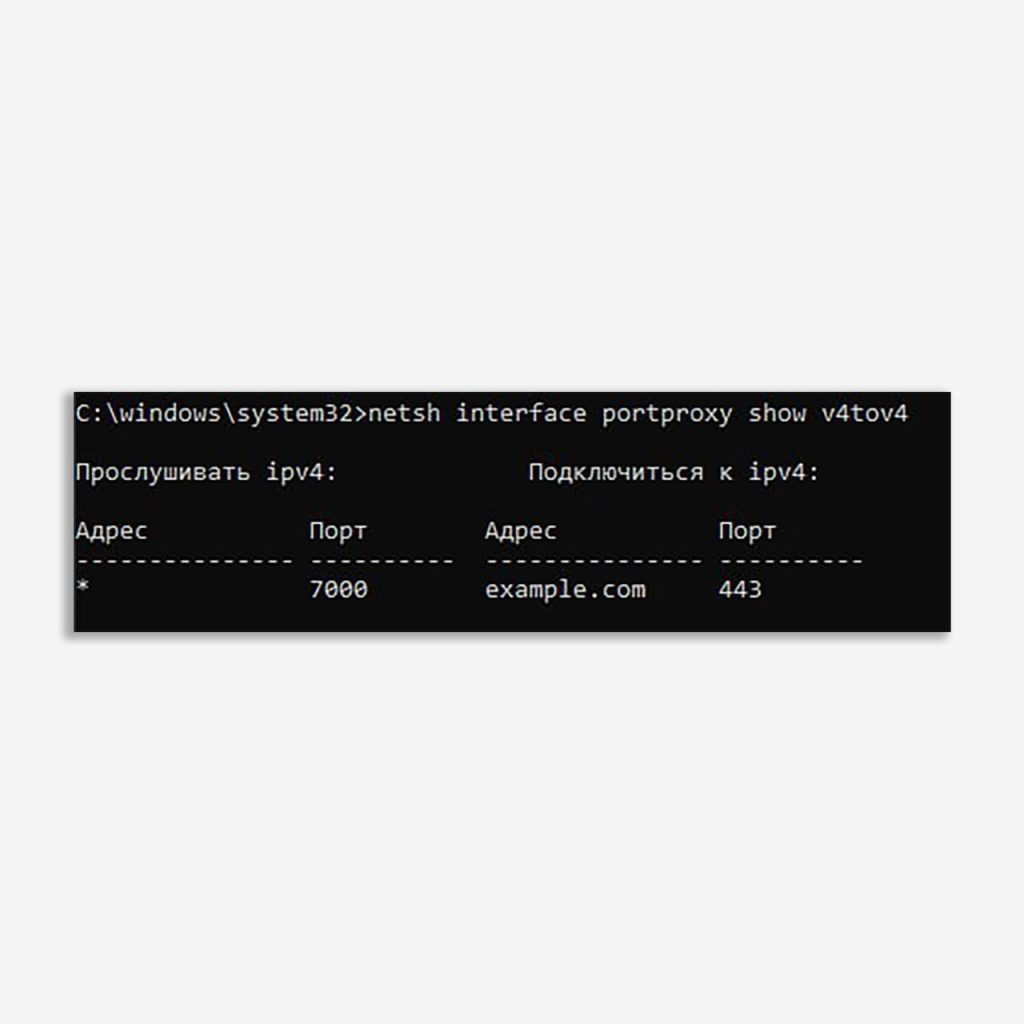
In its simplest form, this tool allows you to create a simple mapping of “where a packet came from — where to send it.” The easiest way to show this is with an example:
netsh interface portproxy add v4tov4 listenport=7000 connectaddress=example.com connectport=443 protocol=tcp
After executing this command, the host starts listening on port 7000 and redirects incoming TCP connections to example.com:443. You can read more about these functions in Microsoft’s documentation.
This method is good because it doesn’t require third-party software. The main limitation of the method is that the mapping is static, meaning it only allows you to set up strictly predefined packet redirection.
🕵️♀️ How to detect the use of this method
1️⃣ Detect the execution of the netsh interface portproxy add command (for example, in Sysmon 1 or Security 4688 events).
Detection in MaxPatrol SIEM: Execute_Malicious_Command
2️⃣ By the presence of keys in the registry under [HKLM\SYSTEM\CurrentControlSet\Services\PortProxy\].
Detection in MaxPatrol SIEM: Port_Forwarding_or_Tunneling
3️⃣ By the appearance of suspicious listening ports or network connections on the IpHelper service (the process C:\Windows\System32\svchost.exe -k NetSvcs -p -s iphlpsvc).
👉 By the way, in that case the attackers managed to build a chain four hops long using portproxy, and at each stage traffic from “implants” on hosts inside the segment was also redirected into the proxied port. The result was an entire “tree” whose “roots” extended to a C2 server on the internet.
Happy hunting!
#Hunt #C2 #Detect #DFIR #SIEM
@ptescalator
More from oUth0R
- We helped Apple fix a vulnerability in the kernel of its operating systems
We helped Apple fix a vulnerability in the kernel of its operating systems PT ESC expert…
- Recovering EVTX records: carving methods
Recovering EVTX records: carving methods 🧩 When investigating incidents where attackers encrypt virtual machine images, a…
- Operation Chewbacca
At the end of June, the PT ESC team, during incident investigations, discovered a new group…
- Your Zimbra server is at risk
Recently, our PT ESC IR team encountered a new attack by ransomware groups on Zimbra mail…
- He's not your gsocket
He's not gsocket to you 😑 During the investigation of one of the incidents, PT ESC…

More in Indicators & C2
- This is Siemens...
Recently, our colleagues from the Positive Industrial Expertise Center discovered a curious Windows sample on MalwareBazaar.…
- Operation Chewbacca
At the end of June, the PT ESC team, during incident investigations, discovered a new group…
- Your Zimbra server is at risk
Recently, our PT ESC IR team encountered a new attack by ransomware groups on Zimbra mail…
- He's not your gsocket
He's not gsocket to you 😑 During the investigation of one of the incidents, PT ESC…
- Hunting RATs by their own certificates 🕵️
Our colleagues at Censys published a breakdown of the AsyncRAT family, describing an entire genealogical tree:…