
Apple Notice of Compromise
More in Malware
- This is Siemens...
Recently, our colleagues from the Positive Industrial Expertise Center discovered a curious Windows sample on MalwareBazaar.…
- Anti-antivirus
Recently, we came across an APK with an intriguing and trust-inspiring name: «Антивирус ФСБ.apk». After installing…
- .exe .docm .xlsm
.exe .docm .xlsm Malicious files with these extensions are most often found in corporate network traffic.…
- Operation Chewbacca
At the end of June, the PT ESC team, during incident investigations, discovered a new group…
- Your Zimbra server is at risk
Recently, our PT ESC IR team encountered a new attack by ransomware groups on Zimbra mail…





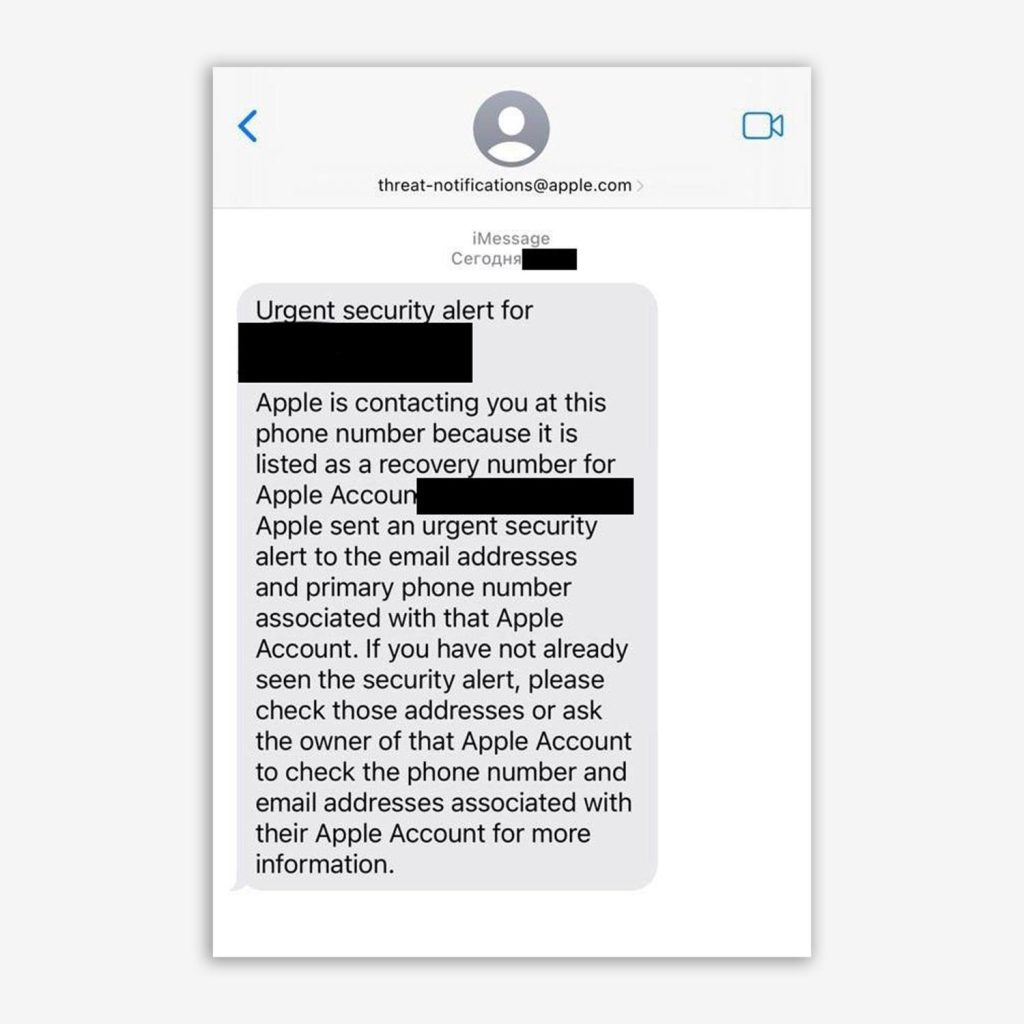
Lately, we are increasingly encountering devices that have received a compromise notification from Apple 📲
If you receive a message on your device in iMessage from the user threat-notifications@apple.com with approximately the following content:
ALERT: Apple detected a targeted mercenary spyware attack against your iPhone
Apple detected that you are being targeted by a mercenary spyware attack that is trying to remotely compromise the iPhone associated with your Apple Account (YOUR ACCOUNT). This attack is likely targeting you specifically because of who you are or what you do. Although it's never possible to achieve absolute certainty when detecting such attacks, Apple has high confidence in this warning – please take it seriously.
there is a high probability that you have been targeted by a spyware attack.
In addition, Apple sends an email to your address from threat-notifications@email.apple.com, and when you open the website account.apple.com, information about the device compromise is displayed.
Compromise results in full control over the victim’s device, including access to calls, messages, app data, as well as the ability to conduct covert audio and video recording.
🔍 We can help with investigating your device. To do so, simply write a direct message to the ESCalator channel.
To preserve the artifacts needed for investigation, you should avoid actions that could affect the state of the system.
❌ You should not reboot the device, install updates, reset settings, or activate additional protection modes.
⚠️ We would also like to point out that enabling Lockdown Mode also causes the device to restart.
This is important, because modern malicious tools used for attacks on mobile devices often operate exclusively in RAM and are capable of erasing traces of their presence. A reboot or OS update can lead to the loss of forensic artifacts needed for subsequent analysis.
👀 The full algorithm of actions to take if you receive such notifications, as well as what to do if you are unable to promptly contact experts, can be found on SecurityLab.
#ios #dfir #mobile #ios_alert #spyware
@ptescalator (X, Max)
More from oUth0R
- We helped Apple fix a vulnerability in the kernel of its operating systems
We helped Apple fix a vulnerability in the kernel of its operating systems PT ESC expert…
- Recovering EVTX records: carving methods
Recovering EVTX records: carving methods 🧩 When investigating incidents where attackers encrypt virtual machine images, a…
- Operation Chewbacca
At the end of June, the PT ESC team, during incident investigations, discovered a new group…
- Your Zimbra server is at risk
Recently, our PT ESC IR team encountered a new attack by ransomware groups on Zimbra mail…
- He's not your gsocket
He's not gsocket to you 😑 During the investigation of one of the incidents, PT ESC…


More in Malware
- This is Siemens...
Recently, our colleagues from the Positive Industrial Expertise Center discovered a curious Windows sample on MalwareBazaar.…
- Anti-antivirus
Recently, we came across an APK with an intriguing and trust-inspiring name: «Антивирус ФСБ.apk». After installing…
- .exe .docm .xlsm
.exe .docm .xlsm Malicious files with these extensions are most often found in corporate network traffic.…
- Operation Chewbacca
At the end of June, the PT ESC team, during incident investigations, discovered a new group…
- Your Zimbra server is at risk
Recently, our PT ESC IR team encountered a new attack by ransomware groups on Zimbra mail…