
Looking under the hood of secure connections in Wireshark. Part 1: TLS
More in General
- We helped Apple fix a vulnerability in the kernel of its operating systems
We helped Apple fix a vulnerability in the kernel of its operating systems PT ESC expert…
- Recovering EVTX records: carving methods
Recovering EVTX records: carving methods 🧩 When investigating incidents where attackers encrypt virtual machine images, a…
- Operation Chewbacca
At the end of June, the PT ESC team, during incident investigations, discovered a new group…
- Your Zimbra server is at risk
Recently, our PT ESC IR team encountered a new attack by ransomware groups on Zimbra mail…
- He's not your gsocket
He's not gsocket to you 😑 During the investigation of one of the incidents, PT ESC…




Our network experts often need to decrypt TLS connection traffic and analyze protected content. Modern TLS algorithms have long been using the Ephemeral Diffie–Hellman (EDH) scheme, which prevents decrypting TLS sessions with an RSA private key.
Now, to decrypt, you need to collect the so-called session keys using the TLS client or server itself. And over many years, we’ve gathered several life hacks that work for most applications being analyzed. Let’s go!
1️⃣ Browsers and console utilities
To decrypt browser TLS sessions or console utilities, such as curl, you need to set the SSLKEYLOG environment variable. This is done using the command
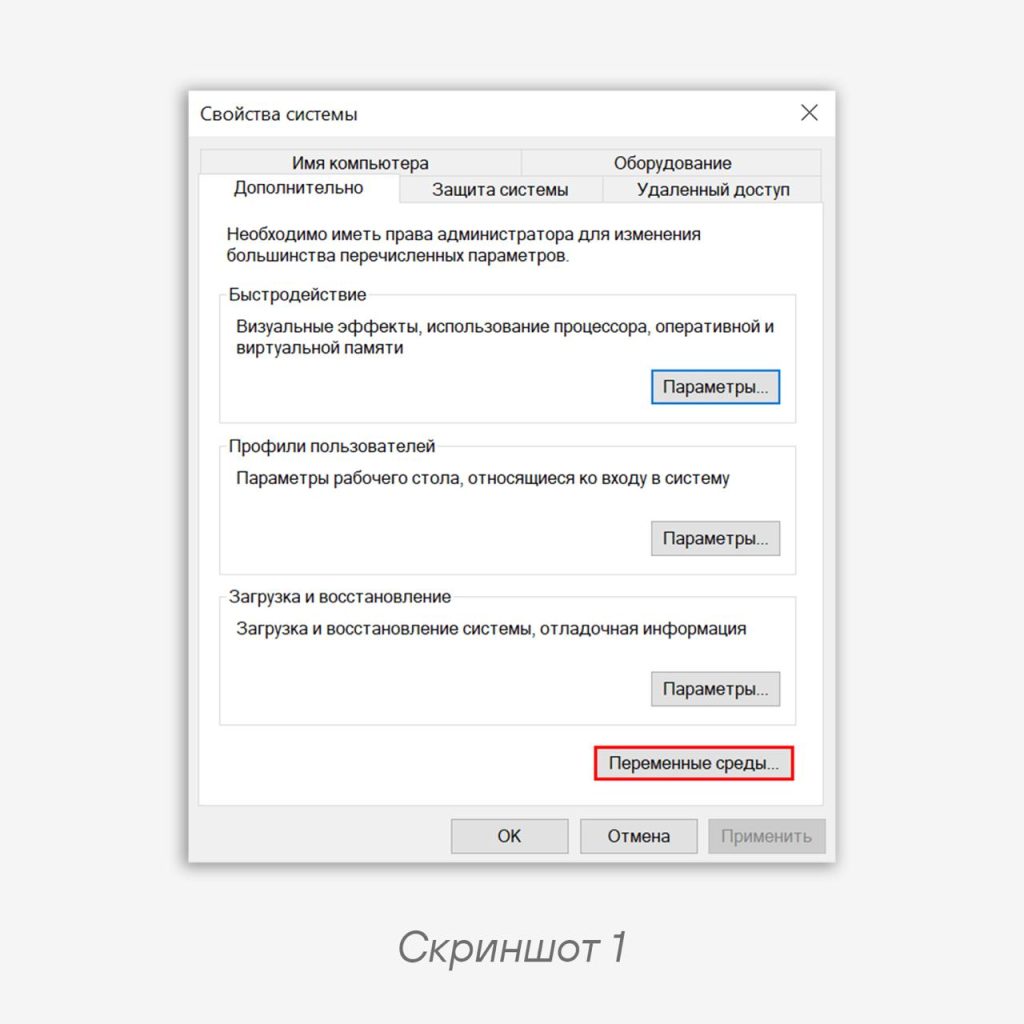
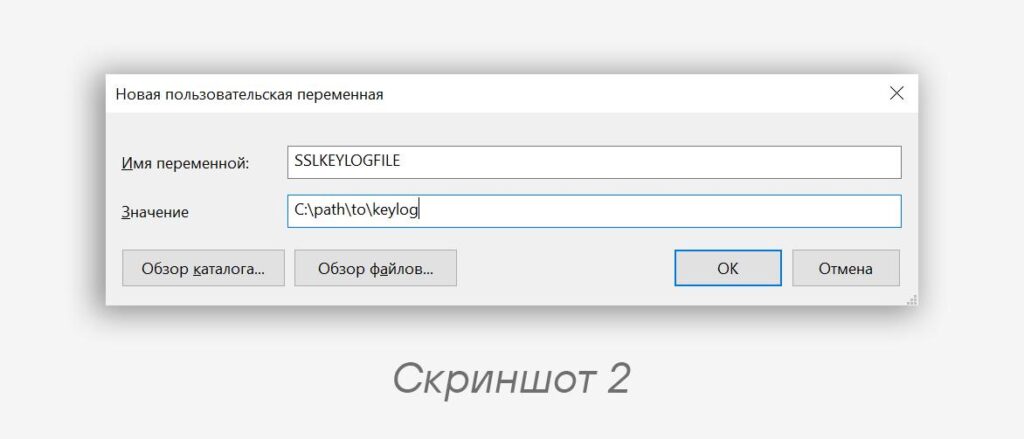
export SSLKEYLOGFILE=/path/to/keylog.log for Linux systems or via environment variables (screenshots 1 and 2) on Windows systems. Now browsers and utilities will save session keys to the specified file.2️⃣ Go applications
Setting up a key dump in such applications will require a small patch. You need to either add these lines to the application’s own code (example).
w, err := os.OpenFile("/path/to/SSLKEYLOGFILE", os.O_WRONLY|os.O_CREATE|os.O_TRUNC, 0600)
config := &tls.Config{KeyLogWriter: w}
Code language: plaintext (plaintext)
Or, if the tls config is not explicitly defined in the file, but the standard crypto/go library is used in the program itself or in a library, you can set the sslkeylog file directly in it. We’ve provided an example diff file (common_go.diff) for
go version go1.24.4 linux/amd64. After that, it’s enough to set the path to the keylog file in the SSLKEYLOGFILE environment variable:export SSLKEYLOGFILE=/path/to/keylog.log
Code language: Bash (bash)3️⃣ Python applications
Setting up a key dump also works by setting the SSLKEYLOGFILE environment variable:
export SSLKEYLOGFILE=/path/to/keylog.log
python main.py
Code language: Bash (bash)
4️⃣ Node.js applications
You simply need to run the application with the tls-keylog flag
node --tls-keylog=/path/to/keylog.log program.js
Code language: plaintext (plaintext)
Or set the NODE_OPTIONS environment variable and run the program in the same console:
export NODE_OPTIONS=--tls-keylog=/path/to/keylog.log
Code language: Bash (bash)
5️⃣ Xray Core
Other proprietary applications may use their own parameters for dumping session keys. Especially those that implement TLS connections in their own way. Xray is a whole framework that supports many VPN protocols, including VMess, VLESS, and XTLS. Thanks to the Xray core developers, collecting session keys is no trouble. You just need to add the masterKeyLog key to the outbound connection configuration.
"realitySettings": {
  "serverName": "yahoo.com",
  "publicKey": "publicKey",
  "shortId": "shortId",
  "fingerprint": "chrome",
  "spiderX": "/",
  "masterKeyLog": "/path/to/keylog"
}
Code language: plaintext (plaintext)
Most Xray configurations are set using URLs; to add the key, you need to edit the JSON configuration inside the client or server after adding the key.
How to use the obtained session keys
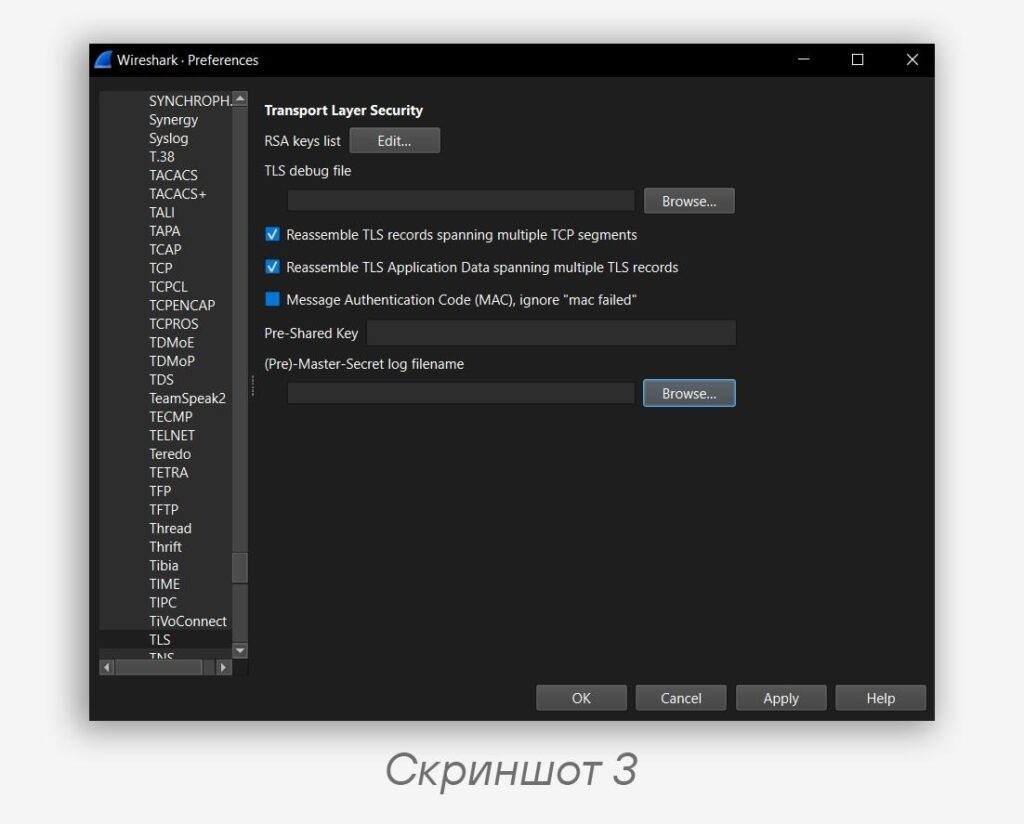
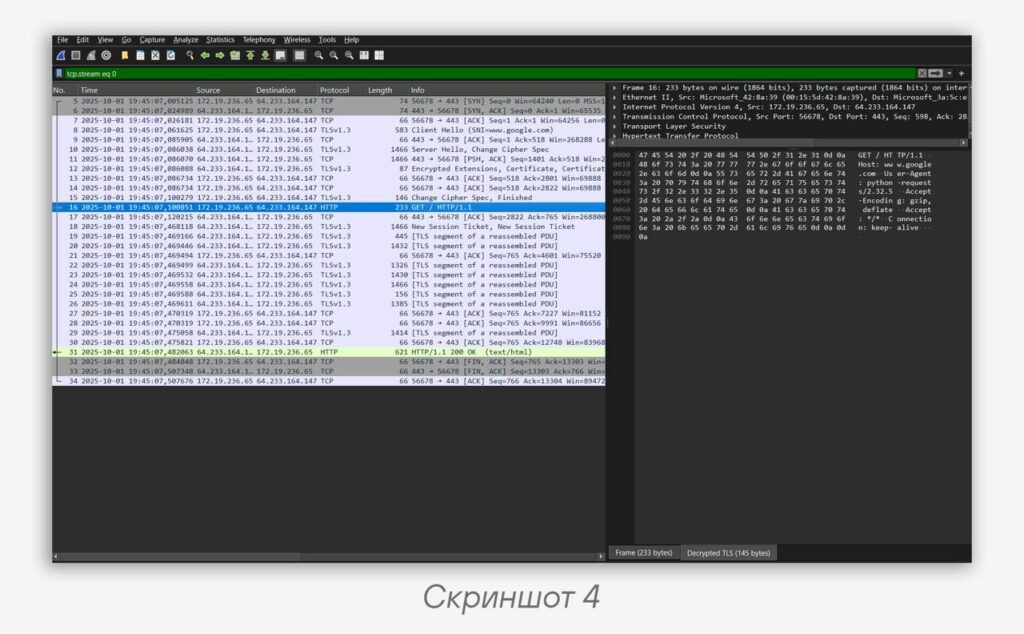
To decrypt a TLS session in Wireshark, you need to open Edit → Preferences, then in the TLS protocol settings select the Master-Secret log filename file (screenshot 3, result in screenshot 4).
☠️ And in the next part, we’ll talk about decrypting the encrypted content of SMB/LDAP/DCERPC protocols with NTLM and Kerberos authentication.
Share your own life hacks in the comments ⬇️
#dfir #tip #tls #network
@ptescalator
More from oUth0R
- We helped Apple fix a vulnerability in the kernel of its operating systems
We helped Apple fix a vulnerability in the kernel of its operating systems PT ESC expert…
- Recovering EVTX records: carving methods
Recovering EVTX records: carving methods 🧩 When investigating incidents where attackers encrypt virtual machine images, a…
- Operation Chewbacca
At the end of June, the PT ESC team, during incident investigations, discovered a new group…
- Your Zimbra server is at risk
Recently, our PT ESC IR team encountered a new attack by ransomware groups on Zimbra mail…
- He's not your gsocket
He's not gsocket to you 😑 During the investigation of one of the incidents, PT ESC…
More in General
- We helped Apple fix a vulnerability in the kernel of its operating systems
We helped Apple fix a vulnerability in the kernel of its operating systems PT ESC expert…
- Recovering EVTX records: carving methods
Recovering EVTX records: carving methods 🧩 When investigating incidents where attackers encrypt virtual machine images, a…
- Operation Chewbacca
At the end of June, the PT ESC team, during incident investigations, discovered a new group…
- Your Zimbra server is at risk
Recently, our PT ESC IR team encountered a new attack by ransomware groups on Zimbra mail…
- He's not your gsocket
He's not gsocket to you 😑 During the investigation of one of the incidents, PT ESC…