
TLS on the network: what to do
More in Malware
- This is Siemens...
Recently, our colleagues from the Positive Industrial Expertise Center discovered a curious Windows sample on MalwareBazaar.…
- Anti-antivirus
Recently, we came across an APK with an intriguing and trust-inspiring name: «Антивирус ФСБ.apk». After installing…
- .exe .docm .xlsm
.exe .docm .xlsm Malicious files with these extensions are most often found in corporate network traffic.…
- Operation Chewbacca
At the end of June, the PT ESC team, during incident investigations, discovered a new group…
- Your Zimbra server is at risk
Recently, our PT ESC IR team encountered a new attack by ransomware groups on Zimbra mail…





TLS on the network: what to do 🤷♂️
You are a powerful network traffic analysis engine.
You work for the benefit of the information security system, grinding through terabytes of data passing through you.
Tens of thousands of non-false-positive expert rules spin in your depths, and you fear no L7 protocols — HTTP, SMTP, FTP, DNS.
But suddenly you’re fed some indistinct mishmash of bytes from a network connection on port 443, which begins with the magic |1603| 🧙
“Oh no!”. This is TLS, whose decryption no one bothered to do, and its encapsulated contents are now hidden from you. But inside there could be something bad, something malicious. What to do?
Don’t be upset! TLS traffic is generally amenable to analysis, albeit not content-based. Two main methods can be distinguished:
1. Analysis of information from headers and certificates.
2. Analysis of TCP session characteristics.
Analysis of information from headers and certificates (relevant for TLS versions below 1.3)
The main header parameters that can be analyzed:
• Protocol version. For example, SSL 3.0 or TLS 1.0.
• Cipher suites — indicate the algorithms that will be used to encrypt data and create the MAC (Message Authentication Code).
• Compression algorithms.
• The order and types of supported extensions. For example, the ALPN (Application-Layer Protocol Negotiation) extension is used to negotiate the application-layer protocol (e.g., HTTP/2 or HTTP/3).
Certificate analysis aspects:
• Certificate chain: who issued the certificate (certificate authority, CA), whether the chain is valid and correctly configured.
• Certificate validity period: expired or improperly configured certificates indicate an insecure server configuration or an attack, such as MITM (man in the middle).
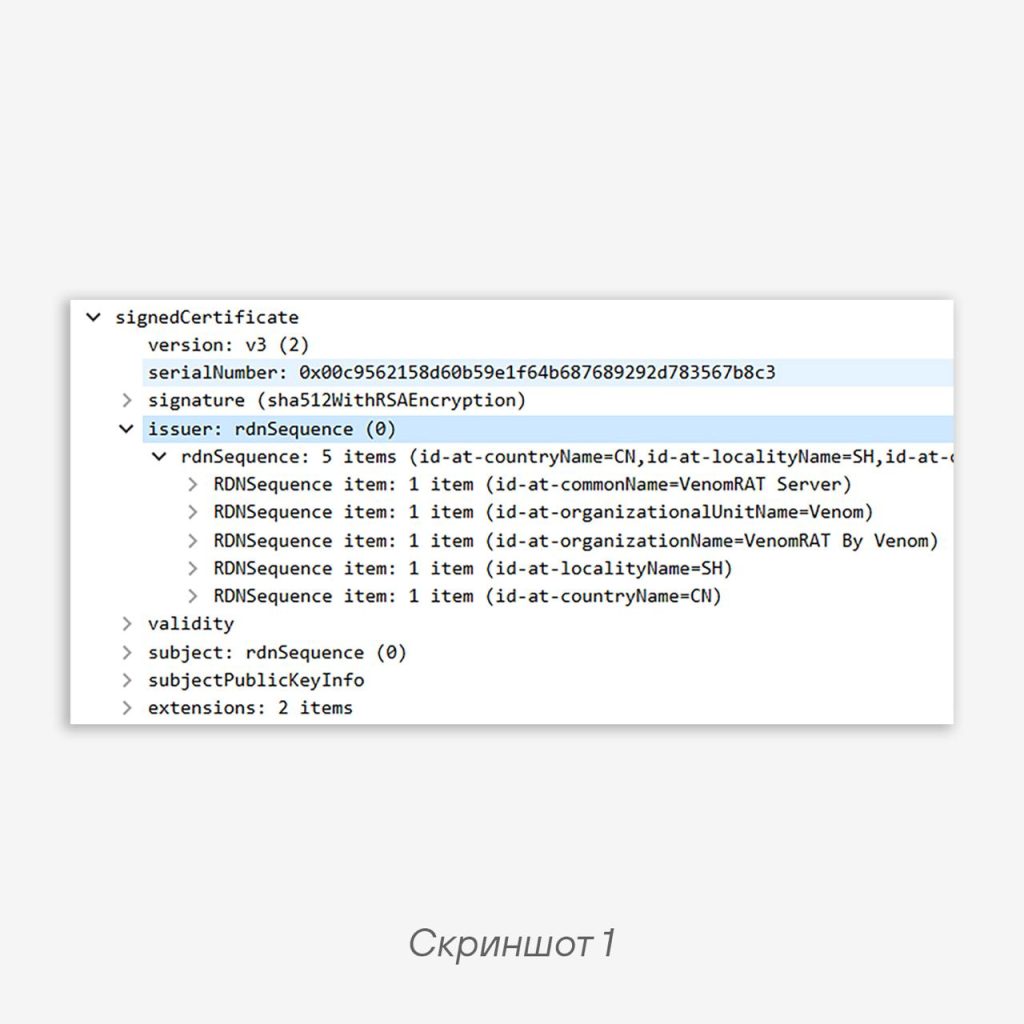
• Suspicious server names (Common Name): they may signal forged or compromised certificates. For example, the VenomRAT C2 server by default provides interesting information about itself (screenshot 1).
🫵 Additionally, you can analyze digital fingerprints — unique identifiers of clients establishing TLS connections, or servers accepting such connections.
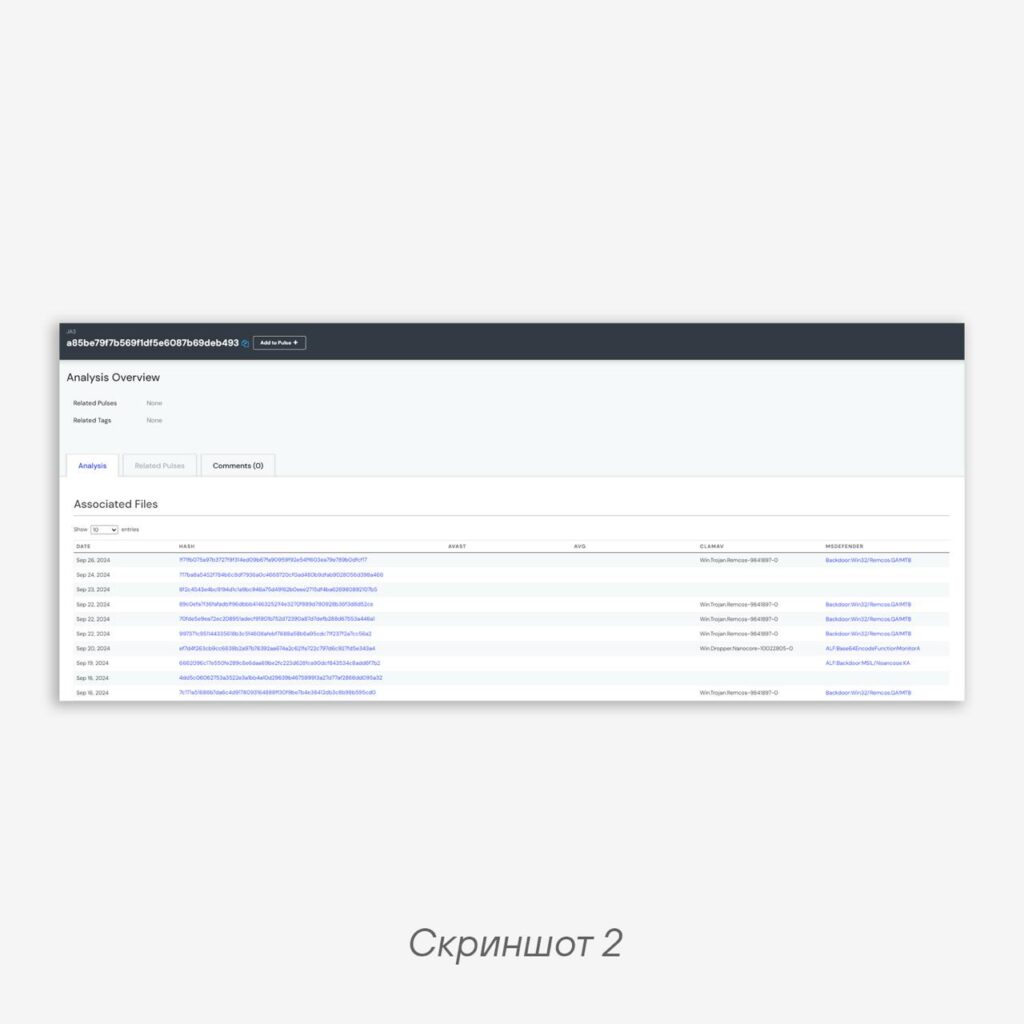
JA3 and JA3s work by collecting characteristics during the TLS handshake and generating a fingerprint. JA3 is a hash function computed using the MD5 algorithm based on parameters transmitted by the client when establishing a TLS connection. The result is a unique client identifier — a JA3 fingerprint (WARNING — may false-positive!).
For example, JA3 a85be79f7b569f1df5e6087b69deb493 uniquely indicates a connection of the Remcos malware to a C2 server (screenshot 2).
Detection based on JA3 and JA3s is supported by virtually all network security tools, including Positive Technologies products — PT NAD and PT Sandbox. Analyzing TLS 1.3 is a more complex task, but that’s for another time.
Analysis of TCP session characteristics
The analyzer can look at the characteristics of TCP sessions encapsulating encrypted traffic: packet sizes, their frequency, and time intervals between them. Even without seeing packet contents, a DPI system is capable of drawing conclusions about the type of traffic or a possible anomaly.
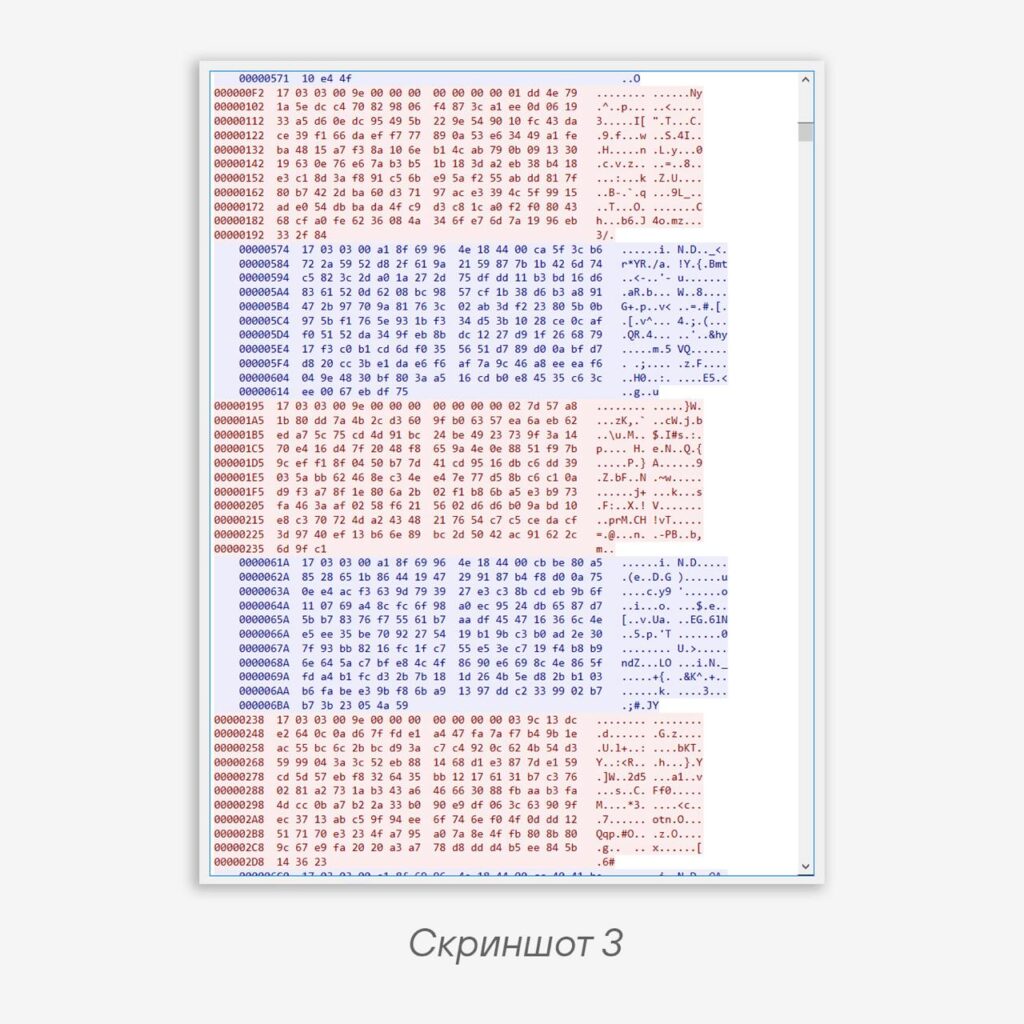
As an example, one could cite a backdoor that did everything right: it “dragged in” an SSL library, trying to hide its very important data. However, on the network it behaved quite interestingly: the client (i.e., the backdoor) always sent a TCP payload of 163 bytes to the C2 server, and the server responded with a payload of 166 bytes (screenshot 3). This is either some kind of Heartbeat or magic padding.
After observing the backdoor for some time and confirming that this behavior was not just an anomaly but a recurring pattern, we covered it with a detection with a clear conscience.
Conclusion: see TLS — don’t be upset.
Happy hunting! 🎯
#detect #malware #network #hunt #tips
@ptescalator
More from global_author
- This is Siemens...
Recently, our colleagues from the Positive Industrial Expertise Center discovered a curious Windows sample on MalwareBazaar.…
- Anti-antivirus
Recently, we came across an APK with an intriguing and trust-inspiring name: «Антивирус ФСБ.apk». After installing…
- .exe .docm .xlsm
.exe .docm .xlsm Malicious files with these extensions are most often found in corporate network traffic.…
- Chaos, shock, private keys from a not-so-private GitLab 💻
Over the past couple of months, the attacker has been distributing trojans from several npm accounts:…
- ::%16777216 — so what exactly are you?
::%16777216 — so what exactly are you? It is known that during attacks, adversaries can use…

More in Malware
- This is Siemens...
Recently, our colleagues from the Positive Industrial Expertise Center discovered a curious Windows sample on MalwareBazaar.…
- Anti-antivirus
Recently, we came across an APK with an intriguing and trust-inspiring name: «Антивирус ФСБ.apk». After installing…
- .exe .docm .xlsm
.exe .docm .xlsm Malicious files with these extensions are most often found in corporate network traffic.…
- Operation Chewbacca
At the end of June, the PT ESC team, during incident investigations, discovered a new group…
- Your Zimbra server is at risk
Recently, our PT ESC IR team encountered a new attack by ransomware groups on Zimbra mail…