
Static resolution of imports
More in Reverse engineering
- Why IDA doesn't fold constants and how to fix it
Why IDA doesn't fold constants and how to fix it 👨💻 Recently, obfuscation has been increasingly…
- Recognize STL code easily
Recognizing STL code with ease 😐 During reverse engineering, we often encounter STL code whose analysis…
- Again CFG
CFG again 👋 A common task when extracting malware configurations at scale is obtaining function boundaries…
- Deobfuscating .NET function names manually
Deobfuscating .NET function names manually 🙌 .NET malware loves packers, obfuscation (of names, CFG, and other…
- Idea for a correlation rule in SIEM
Idea for a SIEM correlation rule 💡 Although tracking the entire attack chain described in the…
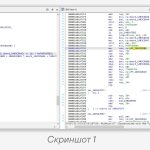

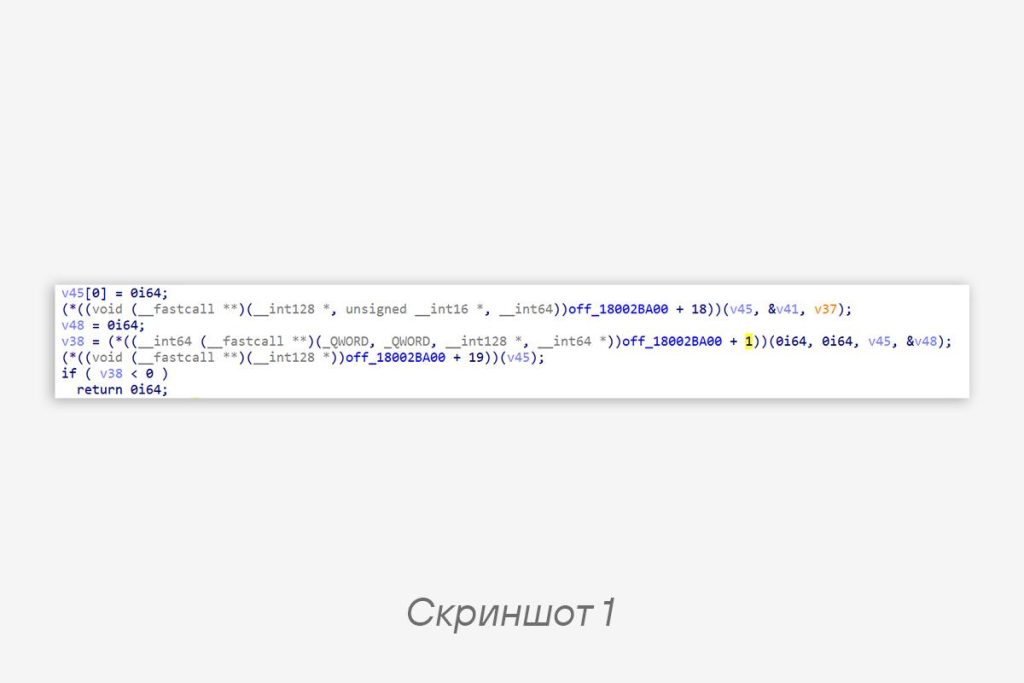
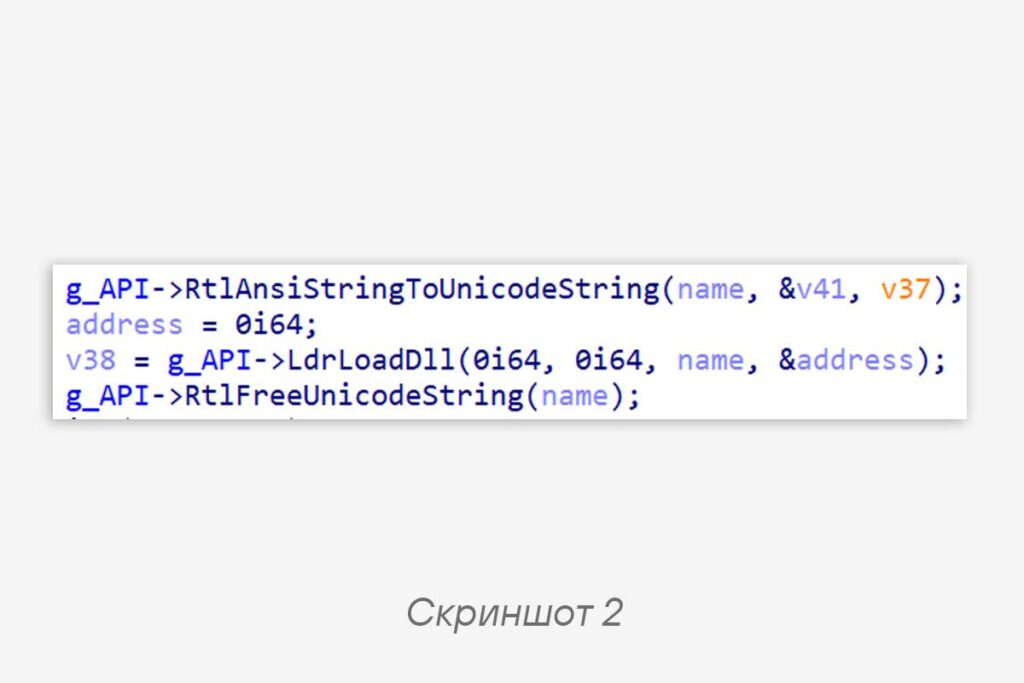
Dynamic resolution of imports by hash sums in malware is a well-worn topic, but to perform static analysis it is necessary to label API names and prototypes. To get from what is shown in screenshot 1 to what is in screenshot 2, without struggling with manual labeling, you can write an IDAPython script.
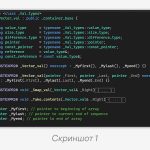
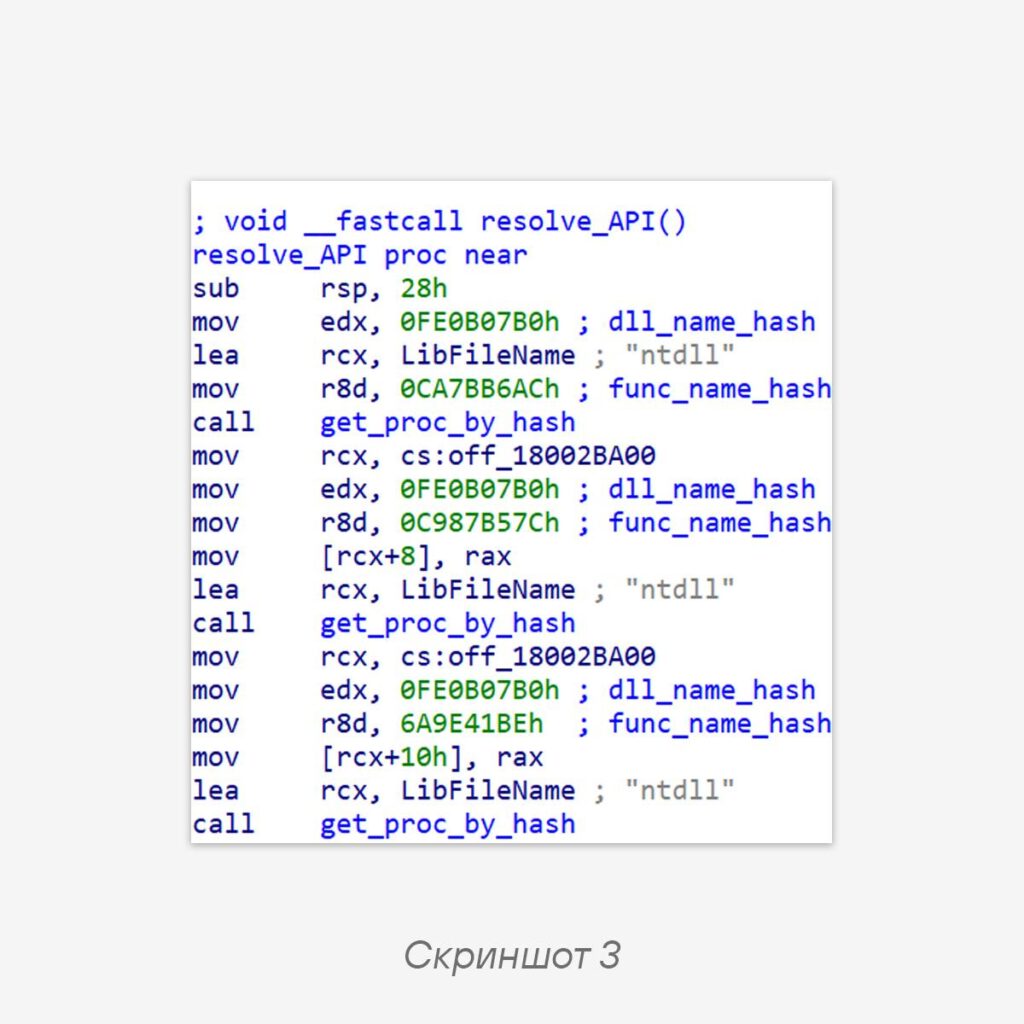
😠 Using DodgeBox as an example, let’s look at resolution that consists of computing the address of an API function and placing it into a global structure. The implementation is in screenshot 3.
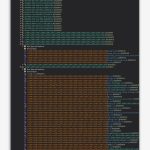
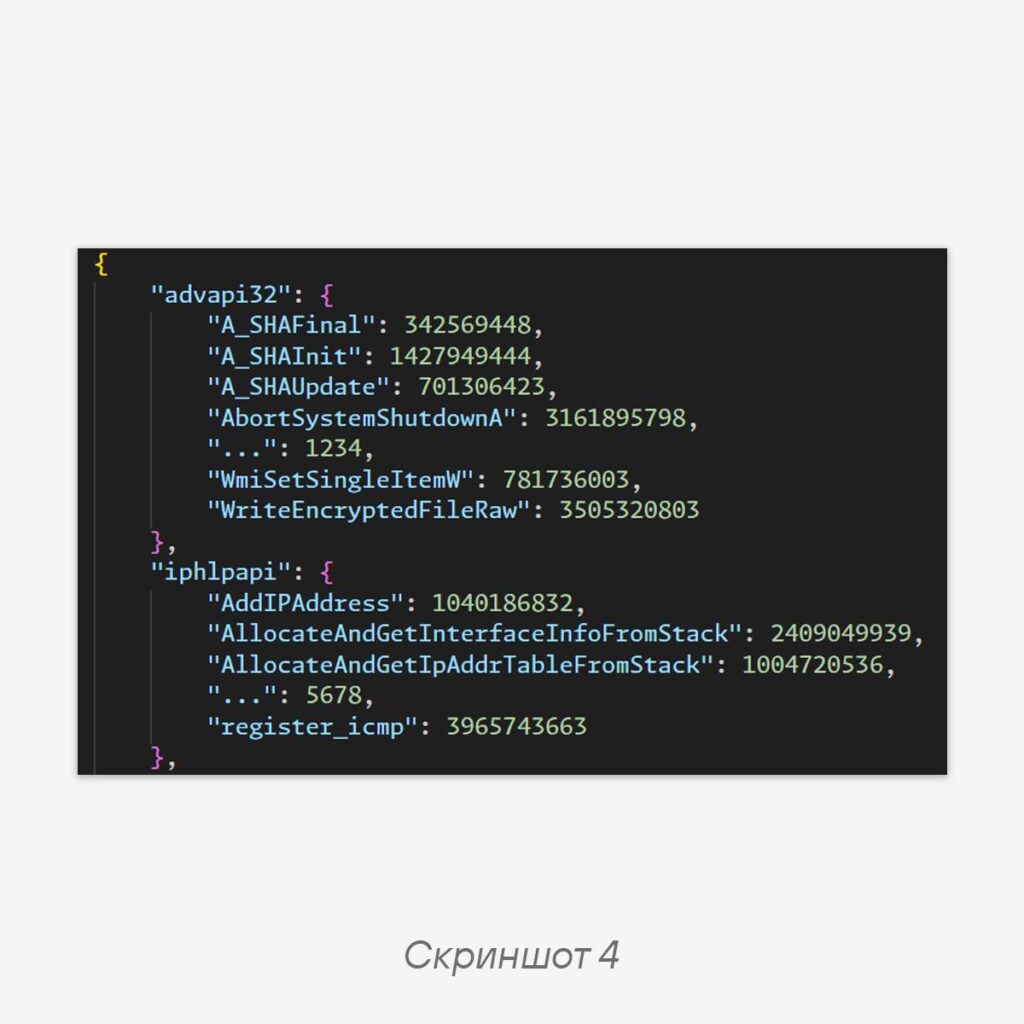
We’ll skip the hashing algorithm, since it isn’t that important here. Before starting, it’s necessary to prepare a dictionary with WinAPI function names and their hash sums. To do this, we’ll select the libraries used in the binary. Here the DLL names are in plaintext, but sometimes there are only hash sums — in that case you can build a dictionary from all system DLLs. Our dictionary is in screenshot 4.
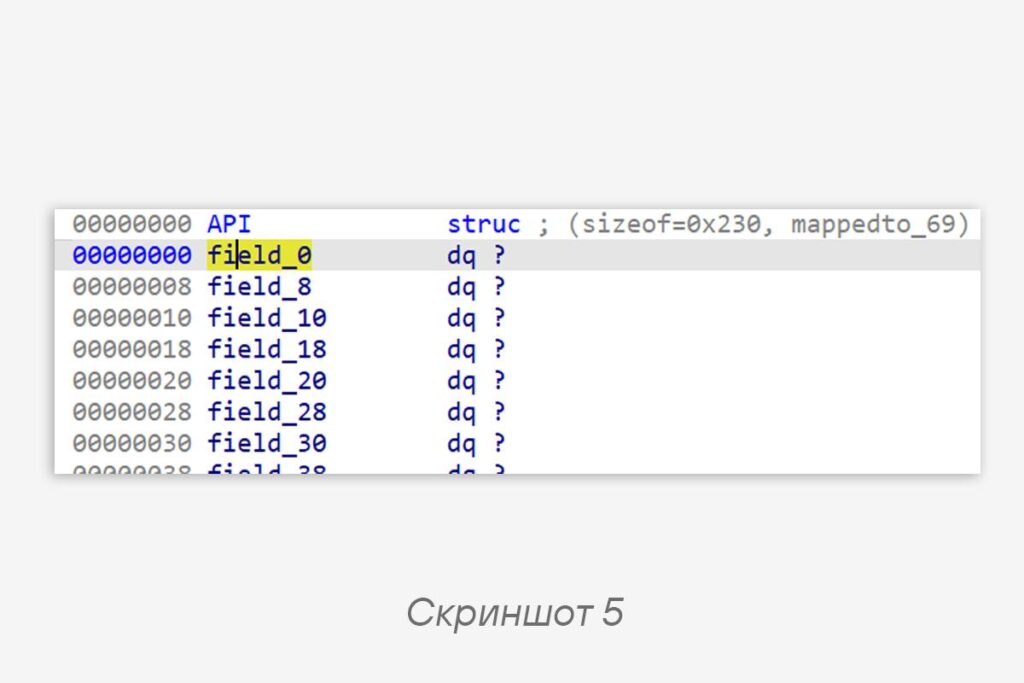
Next, we make sure that the members in the structure are filled in sequentially, so that we can automatically extract the hash sums and module names from the code. Note — the first member of the structure is skipped. We create a structure of the required size (screenshot 5) so that it can hold all the functions.
To extract the hash sums and library names, we write a function that will iterate over all calls to
get_proc_by_hash and extract its arguments.def get_hashes(resolve_API_addr, get_proc_by_hash_addr):
result = []
func: ida_funcs.func_t
func = ida_funcs.get_func(resolve_API_addr)
cur = func.start_ea
while cur < func.end_ea:
if get_operand_value(cur, 0) == get_proc_by_hash_addr:
result.append(get_args(cur))
cur = ida_search.find_code(cur, SEARCH_DOWN)
return resultCode language: Python (python)The
get_args function goes up several steps from the call instruction and extracts the arguments.def get_args(call_addr):
func_name_hash = None
lib_name = None
cur = call_addr
True:
if print_insn_mnem(cur) == "mov" and print_operand(cur, 0) == "r8d":
func_name_hash = get_operand_value(cur, 1) & 0xFFFFFFFF
elif print_insn_mnem(cur) == "lea" and print_operand(cur, 0) == "rcx":
lib_name = ida_bytes.get_strlit_contents(get_operand_value(cur, 1), -1, STRTYPE_C_16).decode()
if func_name_hash and lib_name:
return lib_name, func_name_hash
cur = ida_search.find_code(cur, SEARCH_UP)Code language: Intel x86 Assembly (x86asm)The output of
get_hashes will be a list that we use to fill in the API structure. The main function will look like this:struc: ida_struct.struc_t = ida_struct.get_struc(ida_struct.get_struc_id("API"))
funcs = get_hashes(0x180007A90, 0x1800078E0)
for i in range(1, len(funcs) + 1):
lib_name, func_name_hash = funcs[i - 1]
member: ida_struct.member_t = struc.members[i]
func_name = get_func_name(lib_name, func_name_hash, winapi_hashes_dict)
if func_name:
ida_struct.set_member_name(struc, member.soff, func_name)
func_tinfo = get_func_tinfo(func_name)
if func_tinfo:
ida_struct.set_member_tinfo(struc, member, 0, func_tinfo, 0)Code language: YAML (yaml)The
get_func_name function is simple to implement — it finds the API name in the dictionary by hash sum. But get_func_tinfo is more interesting: it creates an object containing the function prototype, which we also apply to the structure member.def get_func_tinfo(func_name):
tinfo = ida_typeinf.get_named_type(None, func_name, 0)
if tinfo:
type_s = tinfo[1]
field_s = tinfo[2]
t = ida_typeinf.tinfo_t()
t.deserialize(None, type_s, field_s)
t.create_ptr(t)
return t
else:
return NoneCode language: Python (python)The
ida_typeinf.get_named_type function retrieves information about a type contained in the Type Library (*.til). The call looks like this:Python>get_func_tinfo("GetWindowsDirectoryW")
UINT (__stdcall *)(LPWSTR lpBuffer, UINT uSize)Code language: plaintext (plaintext)However, the function actually returns an object of type
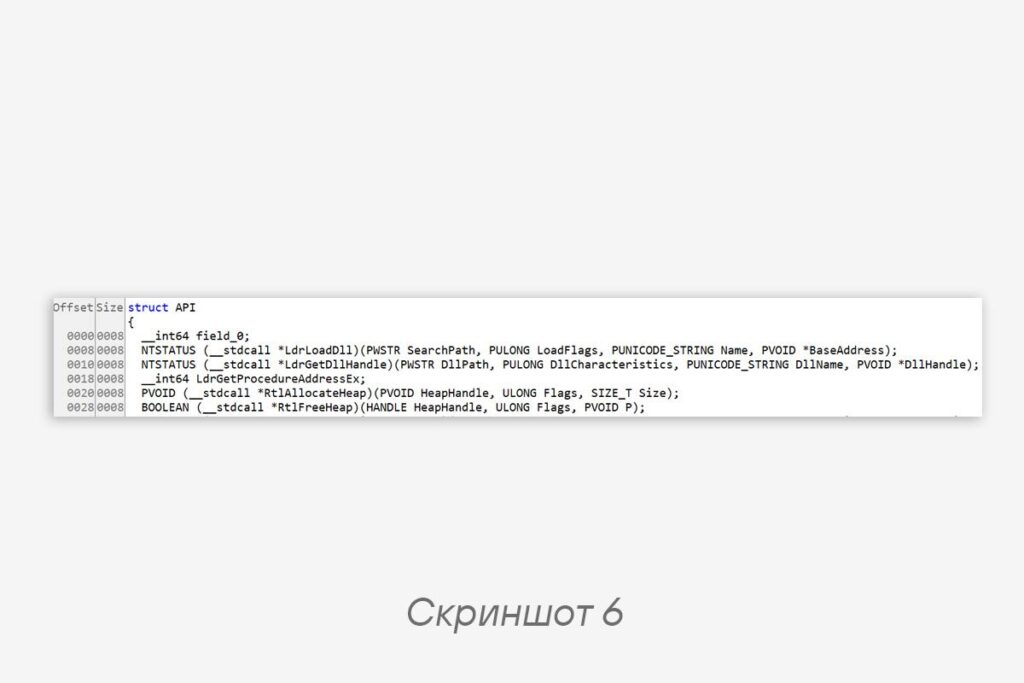
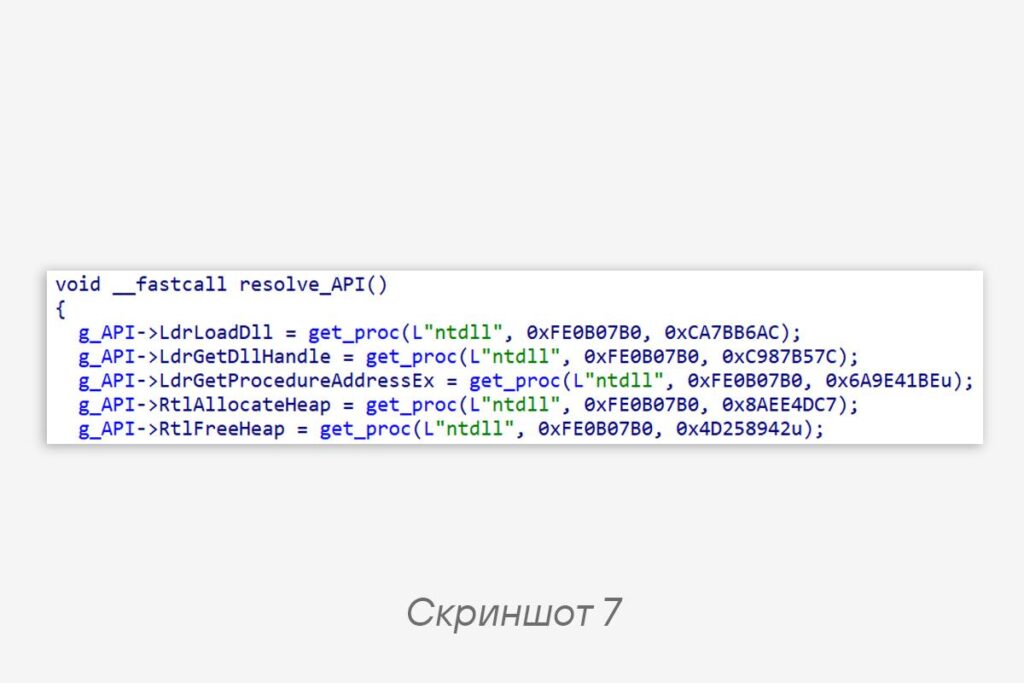
ida_typeinf.tinfo_t.The API structure after running the script is shown in screenshot 6. If you apply it to a global variable, the resolution turns into what is visible in screenshot 7, and you can conveniently analyze the binary statically without launching a debugger.
There is, of course, a temptation to write a
make_beautifully function that itself subtracts the offsets, creates the structure and the members inside it, but that’s for another time.
#tip #reverse #idapython
@ptescalator
More from global_author
- This is Siemens...
Recently, our colleagues from the Positive Industrial Expertise Center discovered a curious Windows sample on MalwareBazaar.…
- Anti-antivirus
Recently, we came across an APK with an intriguing and trust-inspiring name: «Антивирус ФСБ.apk». After installing…
- .exe .docm .xlsm
.exe .docm .xlsm Malicious files with these extensions are most often found in corporate network traffic.…
- Chaos, shock, private keys from a not-so-private GitLab 💻
Over the past couple of months, the attacker has been distributing trojans from several npm accounts:…
- ::%16777216 — so what exactly are you?
::%16777216 — so what exactly are you? It is known that during attacks, adversaries can use…




More in Reverse engineering
- Why IDA doesn't fold constants and how to fix it
Why IDA doesn't fold constants and how to fix it 👨💻 Recently, obfuscation has been increasingly…
- Recognize STL code easily
Recognizing STL code with ease 😐 During reverse engineering, we often encounter STL code whose analysis…
- Again CFG
CFG again 👋 A common task when extracting malware configurations at scale is obtaining function boundaries…
- Deobfuscating .NET function names manually
Deobfuscating .NET function names manually 🙌 .NET malware loves packers, obfuscation (of names, CFG, and other…
- Idea for a correlation rule in SIEM
Idea for a SIEM correlation rule 💡 Although tracking the entire attack chain described in the…