
An endless series of transitions
More in Phishing & sandbox
- ⚡Fake news — THAT'S ALL
⚡Fake news — B U L L S H I T PT ESC specialists discovered an…
- PT ESC cyber intelligence group presented an overview of cyberattacks for Q2 2026 ✍️
PT ESC Cyber Intelligence Group presented an overview of cyberattacks for Q2 2026 ✍️ The report…
- Citizen, update yourself 🫵
Citizen, update yourself 🫵 Recently, a sample mir-pay.apk flew into our sandbox. At first glance, nothing…
- NetMedved: summer campaign against Russian organizations
NetMedved: Summer Campaign Against Russian Organizations 🐻👍 The PT ESC cyber intelligence group has recorded a…
- AI-95 with a malicious additive ⛽️
AI-95 with a malicious additive ⛽️ In mid-June, the Threat Intelligence team discovered several resources at…




Quite often, when sending phishing links via email, attackers do not attach them explicitly to the email but use various redirection techniques. The suspicious domain is hidden from the user and from security tools that perform static link analysis, increasing the chances of catching a victim.
Cybercriminals often use a single level of redirection from a legitimate resource to a malicious one. But we were fortunate enough to analyze a case where the attacker used five consecutive — and, most importantly, diverse — redirection techniques to a malicious resource.
1️⃣ Redirection via TikTok
The link starts with the following construct:
https://www.tiktok.com/link/v2?aid=1988&lang=en&scene=bio_url&target=
Code language: YAML (yaml)
TikTok allows you to place links to external resources in the profile description (the
bio_url parameter), and redirection to them is performed via the URL above. By the way, aid=1988 is seen not only in this case study but also in reports from other vendors. The only optional parameter in this request is lang, but apparently it, like the ID, has migrated and formed a stable prefix in phishing cases. This suggests adding it as a template for security tools.So, instead of funny reels, TikTok forwards us to…
2️⃣ Google AMP
https://www.google.ca/url?q=amp/s/<phishing_url>
Code language: YAML (yaml)
Google AMP is a means of accelerated viewing of web pages that support a number of restrictions specially designed for this acceleration. Notably, the page is loaded not from the domain where it is hosted but from Google’s cache. In fact, the first web page of interest to us fully satisfies these requirements, since it contains only a few lines of JavaScript code.
3️⃣ The first suspicious domain
Contains the following code:
<script type="text/javascript">
    var firstBase64Url = "aHR0cHM6Ly94LmNvbQ==";
    var secondBase64Url = "<Another malicious resource>";

    // Load the first URL for a few seconds
    setTimeout(function() {
      window.open(atob(firstBase64Url), '_blank');
    }, 2000); // 2000 milliseconds = 2 seconds

    // After the specified time, load the second URL
    setTimeout(function() {
      window.location.href = atob(secondBase64Url) + "?qrc=" + window.location.hash.substr(1);
    }, 2000); // 2000 milliseconds = 2 seconds
  </script>
Code language: JavaScript (javascript)
When executed, once the 2-second timeout expires, a new tab opens with
firstBase64Url (which, as is easy to verify, is https://x.com/, another legitimate resource), and in the open tab a redirect occurs to secondBase64Url. Both techniques — opening a new browser tab and enabling a timeout — are needed to complicate analysis by web crawlers.4️⃣ Transition to secondBase64Url
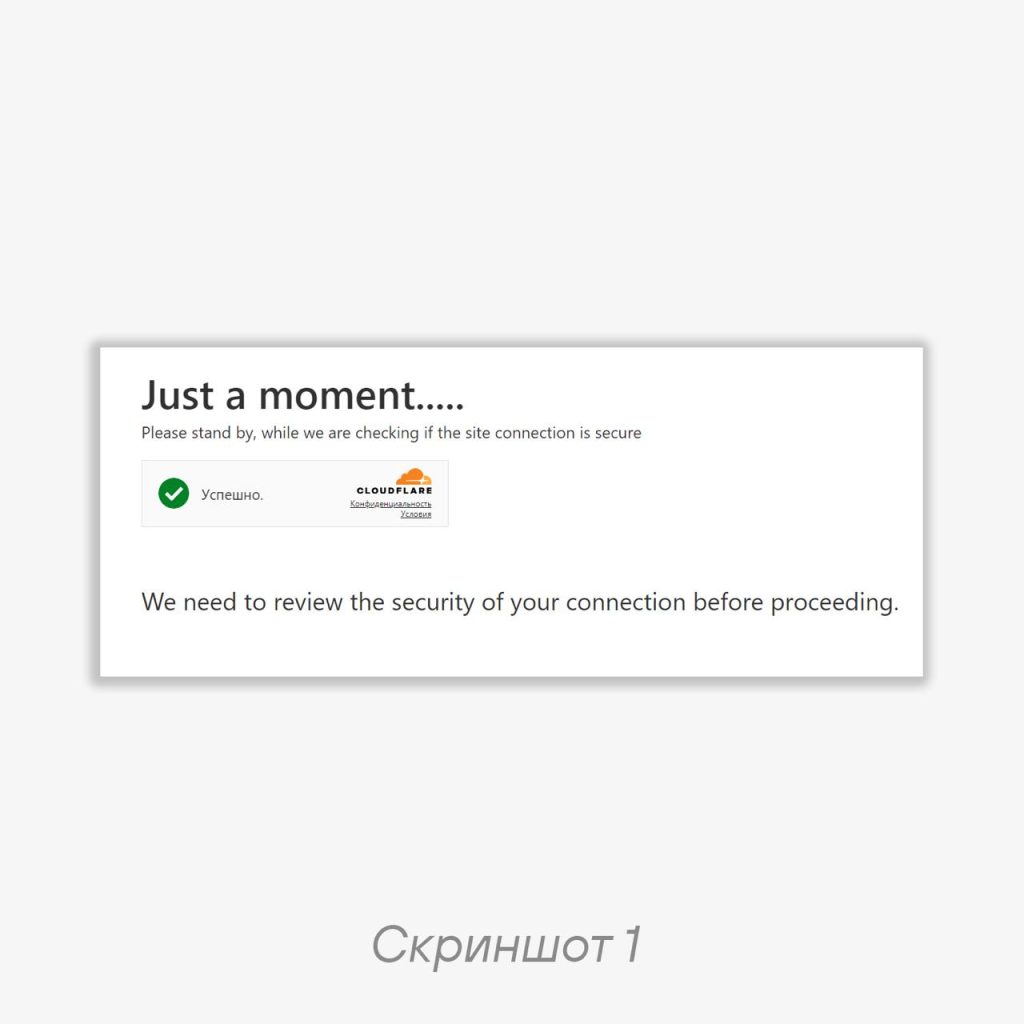
At this stage, we encounter the use of Cloudflare Turnstile — an embeddable mini-captcha that does not require routing traffic through Cloudflare (example of the interface in screenshot 1). During manual analysis of the code on this page, we can already parse another URL, but in order to actually follow it, we need to learn how to pass this captcha.
5️⃣ Traditional 3XX page response code
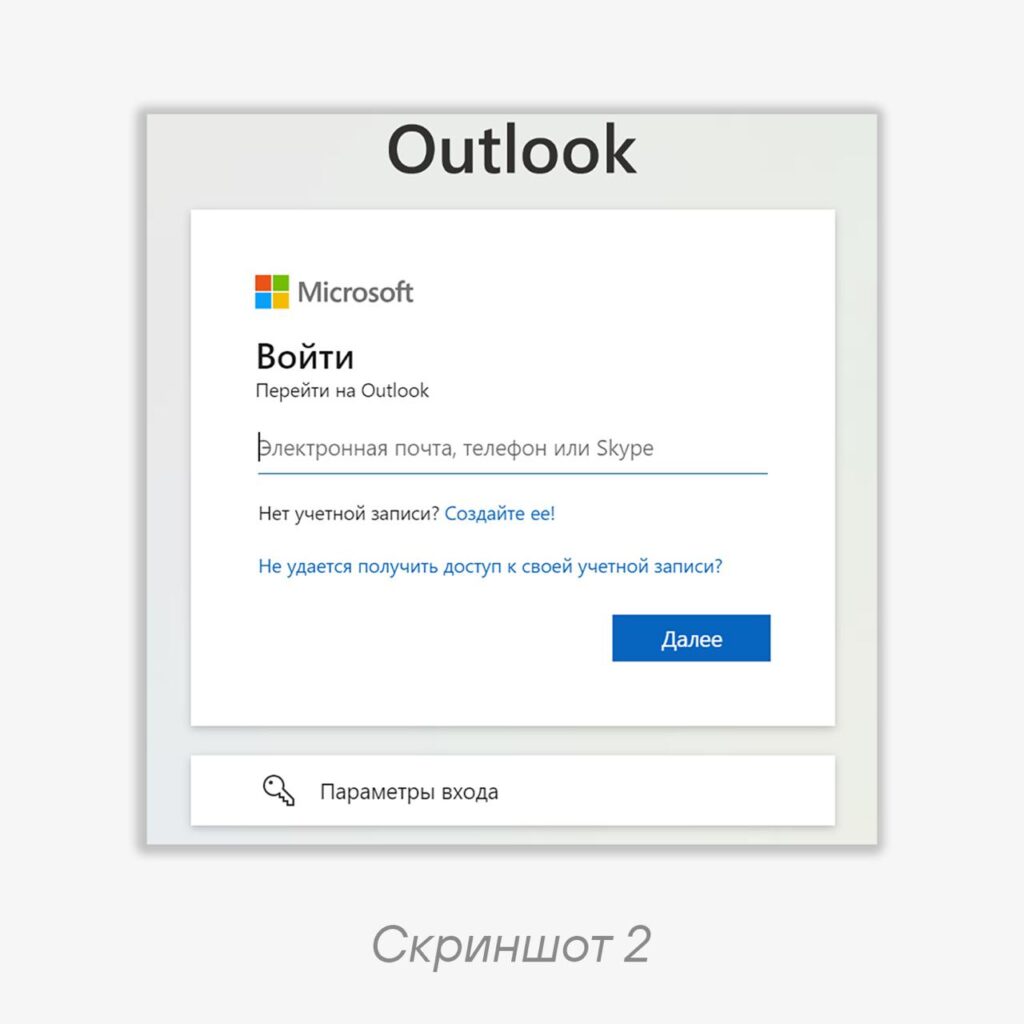
Here everything is simple: at the previous stage, the URL from the code, via a standard 302 response, redirects to the final phishing password-collection page, which imitates the Microsoft Outlook login window. Its interface in the browser window is shown in screenshot 2.
💁♂️ Tips:
• When analyzing a phishing URL, it is worth paying attention to whether the detected anti-redirect techniques (inserting pauses, captchas, opening new tabs) are covered by the available information security tools: if the security tool in use cannot bypass them during automatic link following, then simply detecting them and blocking the corresponding email message may be useful.
• If you (as a user) clicked on such a link — pay attention to how often the URL in the browser’s address bar changed and how many additional actions were performed by you and on the browser’s side.
#tip #phishing #web
@ptescalator
More from global_author
- This is Siemens...
Recently, our colleagues from the Positive Industrial Expertise Center discovered a curious Windows sample on MalwareBazaar.…
- Anti-antivirus
Recently, we came across an APK with an intriguing and trust-inspiring name: «Антивирус ФСБ.apk». After installing…
- .exe .docm .xlsm
.exe .docm .xlsm Malicious files with these extensions are most often found in corporate network traffic.…
- Chaos, shock, private keys from a not-so-private GitLab 💻
Over the past couple of months, the attacker has been distributing trojans from several npm accounts:…
- ::%16777216 — so what exactly are you?
::%16777216 — so what exactly are you? It is known that during attacks, adversaries can use…




More in Phishing & sandbox
- ⚡Fake news — THAT'S ALL
⚡Fake news — B U L L S H I T PT ESC specialists discovered an…
- PT ESC cyber intelligence group presented an overview of cyberattacks for Q2 2026 ✍️
PT ESC Cyber Intelligence Group presented an overview of cyberattacks for Q2 2026 ✍️ The report…
- Citizen, update yourself 🫵
Citizen, update yourself 🫵 Recently, a sample mir-pay.apk flew into our sandbox. At first glance, nothing…
- NetMedved: summer campaign against Russian organizations
NetMedved: Summer Campaign Against Russian Organizations 🐻👍 The PT ESC cyber intelligence group has recorded a…
- AI-95 with a malicious additive ⛽️
AI-95 with a malicious additive ⛽️ In mid-June, the Threat Intelligence team discovered several resources at…